Punchout B2B: how it works, benefits and implementation
Punchout B2B: how it works, benefits and implementation to integrate your catalogues into procurement tools and simplify purchasing processes.
Article summary
- Punchout B2B is an integration that connects a supplier's e-commerce catalogue to a buyer's e-procurement system (SAP Ariba, Coupa, Jaggaer, Oracle).
- The buyer browses the supplier's catalogue without leaving their procurement tool, then transfers their cart into their internal approval workflow.
- The two standard protocols are cXML (developed by Ariba) and OCI (developed by SAP). They replace older EDI formats, which are more costly and rigid.
- Punchout reduces data entry errors, speeds up the order cycle and strengthens B2B account retention.
- For a supplier, offering punchout is often a prerequisite for responding to tenders from large companies and public organisations.

Punchout B2B is an integration mechanism that allows a professional buyer to access a supplier's online catalogue directly from their e-procurement system (SAP Ariba, Coupa, Jaggaer, Oracle PeopleSoft), select products at the prices and conditions negotiated for their account, then transfer their cart into their own internal approval workflow — with no manual re-entry.
In a B2B market where large buyers demand seamless integrations with their procurement tools, punchout has become an essential standard. Suppliers who don't offer it find themselves excluded from tenders by mid-sized and large enterprises, as e-procurement already accounts for more than 8% of B2B digital commerce in the United States and is growing rapidly in Europe.
This article explains how punchout works technically, compares the cXML and OCI protocols, details the benefits for both buyers and suppliers, and outlines the method for deploying it on a B2B e-commerce platform.
.png
)
What is B2B punchout?
Punchout B2B (sometimes written "punch out" or "PunchOut") refers to a standardised connection between a buyer's e-procurement system and a supplier's e-commerce store. The term comes from the English "to punch out", meaning literally "to leave": the buyer "steps out" of their procurement tool to browse the supplier's catalogue, then "returns" with a filled cart.
The punchout catalogue is not a simple static file sent to the client. It is a dynamic, personalised version of the supplier's online store, displaying in real time the available references, contract-negotiated prices, current promotions and stock levels. The buyer always sees up-to-date data, without their procurement team needing to maintain an internal catalogue.
Comparison table: punchout vs. EDI vs. hosted catalogue vs. API
The fundamental difference from a static catalogue (Excel or CIF file) is the dynamic dimension of punchout: when a supplier changes a price, adds a reference or updates stock, the buyer sees it instantly in their e-procurement. With a hosted catalogue, every change requires a resend and reimport of the file, with all the error risks that entails.
For suppliers managing complex product catalogues with thousands of references, punchout eliminates the synchronisation problem and allows them to focus on the quality of their B2B e-commerce.
How a punchout catalogue works: the 6-step flow
The punchout flow follows a precise journey between the buyer's e-procurement system and the supplier's e-commerce platform. Here are the 6 steps of the process, from initial connection to the final purchase order.
- Session initiation (PunchOut Setup Request). The buyer logs into their e-procurement system (Ariba, Coupa, Jaggaer) and clicks on the supplier's logo or link. The system sends an initialisation request (PSR) to the supplier's server, in cXML or OCI format, containing the buyer's identifier, their access rights and contractual conditions.
- Authentication and personalisation. The supplier's server identifies the buyer, loads their profile (negotiated prices, authorised assortment, delivery conditions) and redirects the user to a personalised version of the online catalogue.
- Browsing and selection. The buyer navigates the catalogue as on any e-commerce site: search, filters, product pages, comparison. They add items to their cart with the desired quantities.
- Cart transfer. Instead of completing the purchase on the supplier's site, the buyer clicks "Transfer cart". The cart data (references, quantities, unit prices, currency) is encoded in cXML or OCI and sent back to the e-procurement system.
- Internal approval. The e-procurement system automatically creates a purchase requisition from the cart data. This requisition follows the company's internal validation workflow: managerial approval, budget control, compliance.
- Purchase order issuance. Once the requisition is approved, the system generates a purchase order and sends it to the supplier, often via cXML or EDI. The supplier then processes the order in their OMS or ERP.
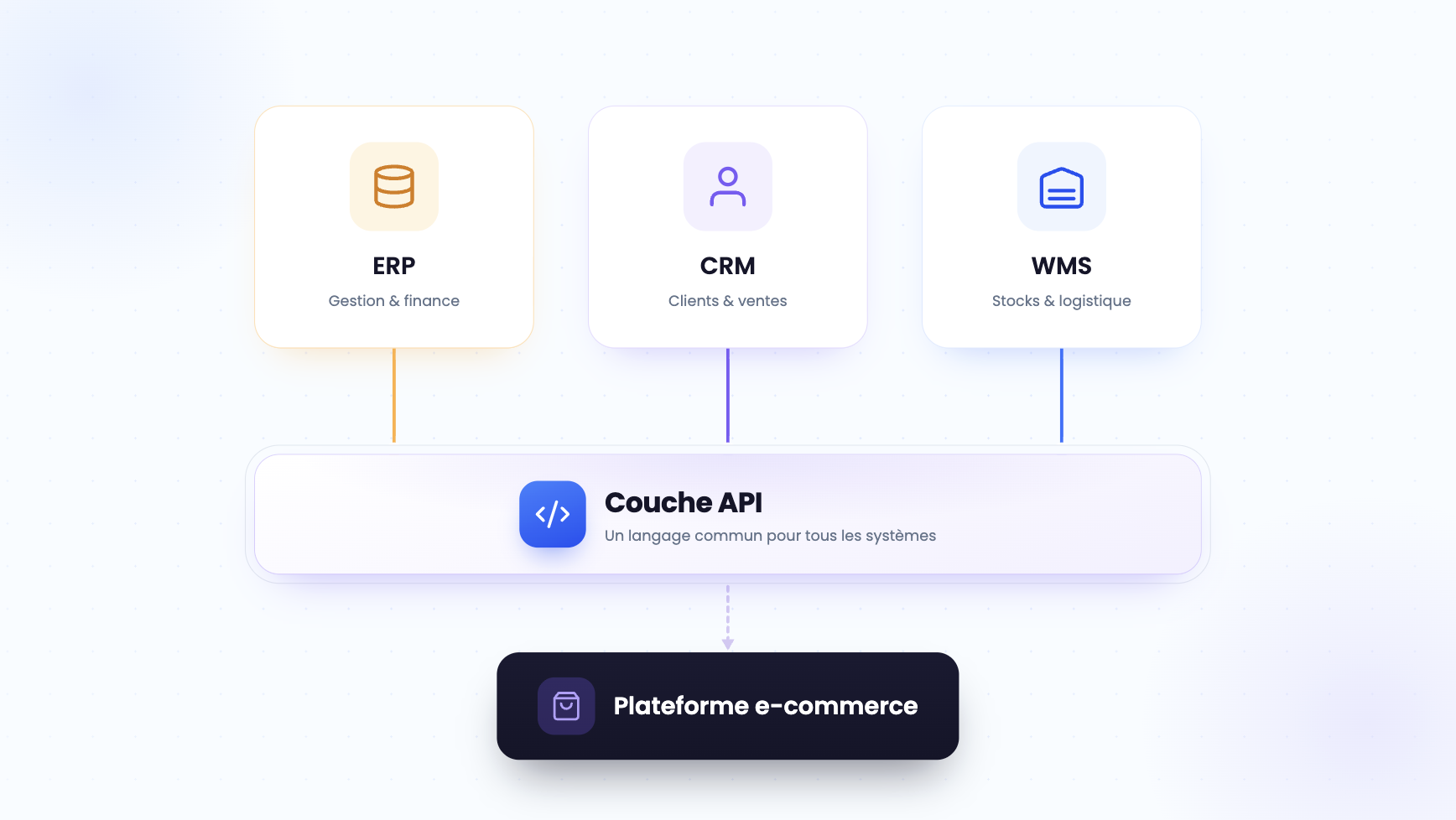
The entire flow takes place with no manual re-entry. Data flows directly between systems, eliminating transcription errors and speeding up the order cycle. For suppliers managing a high volume of orders, this integration combines with a B2B order management system to orchestrate the rest of the process (preparation, shipping, invoicing).
cXML vs OCI: which punchout protocol to choose?
Two protocols dominate the B2B punchout market: cXML and OCI. The choice depends primarily on the e-procurement ecosystem used by the target buyers. Understanding their differences is essential before launching a punchout integration project.
cXML (Commerce eXtensible Markup Language)
Developed by Ariba (now SAP Ariba) in the late 1990s, cXML is an XML-based protocol designed for exchanging procurement data over the internet. It is the most widely used format in systems such as SAP Ariba, Coupa and Jaggaer. cXML covers the entire cycle: from the initialisation request (PunchOutSetupRequest) to the cart transfer (PunchOutOrderMessage), through to the purchase order (OrderRequest) and invoice (InvoiceDetailRequest).
Its main advantage: comprehensive functional coverage that allows the entire transactional flow to be automated, not just catalogue browsing.
OCI (Open Catalog Interface)
Developed by SAP for its ERP ecosystem (SAP ECC, SAP S/4HANA, SAP SRM), OCI works differently: it transfers cart data via HTTP POST parameters, without an XML envelope. It is a technically simpler protocol to implement, but limited to the catalogue and cart transfer phase. OCI does not natively cover purchase order sending or invoicing, which require additional integrations (IDoc, EDI). It is the natural choice when buyers use SAP as their primary procurement tool.
In practice, most B2B suppliers working with large accounts need to support both protocols. A buyer on Coupa will require cXML, while a buyer on SAP S/4HANA will prefer OCI. The right strategy is to choose an e-commerce platform that natively integrates both, rather than developing custom connectors.
The choice of protocol also affects how orders are processed downstream. For suppliers receiving purchase orders via cXML and OCI, a centralised order management system normalises flows regardless of the entry channel.
5 concrete benefits of punchout for suppliers and buyers
Punchout B2B is not just a technical convenience. It is a commercial performance lever for the supplier and a spending control tool for the buyer. Here are the 5 most measurable benefits.
- Reduction of data entry errors. The automatic transfer of data (references, prices, quantities) between systems eliminates typos, reference errors and price discrepancies. Concrete result: the error rate drops from 5–8% with manual entry to less than 1% with a well-configured punchout. Fewer errors means fewer disputes, fewer returns and a smoother order-to-cash cycle.
- Faster order cycle. Without punchout, a buyer must browse the supplier's site, copy references, paste them into their e-procurement system, then submit the purchase requisition. This process takes 20 to 45 minutes per order. With punchout, the cart transfer is instant and the purchase requisition is created in one click. The cycle is reduced to 5–10 minutes, including approval.
- B2B account retention. A supplier that offers punchout becomes embedded in their client's operational day-to-day. The buyer no longer needs to manually compare offers with each order: the supplier is directly accessible from their procurement tool, with pre-loaded contract prices. This level of integration creates a high switching cost and strengthens retention.
- Compliance with purchasing policies. For buyers, punchout ensures that orders go through the internal approval workflow (managerial validation, budget control, approved supplier policy). Off-system "maverick" purchases decrease, improving spend visibility and compliance with framework contracts.
- Access to large account tenders. Many large companies, public administrations and international organisations now require punchout as a prerequisite in their tenders. Not offering this integration means excluding yourself from a high-value market segment. Suppliers who can quickly deliver a punchout connection have a decisive competitive advantage in the selection phase.
How to implement B2B punchout: a 4-phase method
Deploying a B2B punchout is not an isolated IT project. It is a cross-functional project involving sales, IT, catalogue and the clients themselves. Here is the 4-phase method to carry it out successfully, from initial audit to go-live.
Phase 1: buyer ecosystem audit
Before choosing a protocol or a provider, identify the e-procurement systems used by target clients. Send a questionnaire to your 10 to 20 largest accounts to find out: which e-procurement tool do they use (Ariba, Coupa, SAP SRM, Oracle, Jaggaer)? Which protocol do they support (cXML, OCI, both)? What are their technical requirements (SSL certificates, IP whitelisting, field formats)? This phase takes 2 to 3 weeks and conditions everything else in the project.
Don't skip it: deploying a cXML punchout for a client that works exclusively with OCI is wasted time.
Phase 2: platform and connector selection
The choice is between three options: a native connector integrated into the e-commerce platform, a specialist third-party middleware (TradeCentric, Punchout Catalogs, Greenwing Technology), or custom development. For a supplier starting out, the fastest solution is to choose a B2B platform that offers ready-to-use punchout connectors, natively supporting both cXML and OCI. Custom development is only justified for very specific integration cases (proprietary ERP, non-standard protocol).
Phase 3: configuration and testing
The technical configuration includes: setting up endpoints (URLs for receiving PSR requests and returning carts), mapping product fields (reference, description, price, unit, currency, VAT), identity management (shared secret, certificates, tokens), and per-client personalisation (contract prices, assortments, delivery rules). Plan a testing phase with 2 to 3 pilot clients who test the end-to-end flow in their own e-procurement environment. Each platform (Ariba, Coupa) has its own technical particularities, and only real-world testing guarantees correct operation.
Phase 4: phased rollout and support
Once tests are validated, deploy punchout client by client, starting with the highest-order-volume accounts. Document the integration procedure so that your sales teams can actively propose it during the B2B sales process. Plan dedicated support for the first 30 days of each new client, as the most frequent incidents occur at activation (mapping issues, price errors, expired sessions).
For suppliers looking to extend their reach beyond punchout, a B2B marketplace makes it possible to reach new buyers through complementary channels.
3 pitfalls to avoid when deploying punchout
Punchout B2B is a technical project that can go off track if certain critical points are overlooked. The following three mistakes are the most common among suppliers deploying for the first time.
- Neglecting catalogue data quality. Punchout exposes the supplier's catalogue in real time. If product pages contain incomplete descriptions, inconsistent prices or incorrect item codes, these errors will be visible in the client's e-procurement system. Before deploying punchout, audit the quality of every field: reference, designation, unit of sale, price excluding VAT, VAT, lead time, availability. A poorly structured catalogue generates invalid carts and rejections on the buyer's side, which damages the supplier's credibility.
- Underestimating the specifics of each e-procurement platform. Ariba, Coupa and Jaggaer do not handle punchout in the same way. Ariba requires connector certification (Ariba Network), Coupa has its own field format constraints, and Oracle uses specific variants of cXML. Testing punchout in a lab environment is not enough: only testing in the client's real environment reveals incompatibilities. Budget 3 to 5 days of acceptance testing per target platform.
- Forgetting maintenance after launch. Punchout is not a one-shot project. Buyers update their e-procurement systems, change versions, modify validation rules. Without active monitoring (session supervision, error alerts, cart abandonment tracking), malfunctions go unnoticed for weeks. Set up a tracking dashboard with 3 KPIs: punchout session success rate, cart-to-order conversion rate, and average session time.
Companies that anticipate these issues and structure their approach before implementation benefit from a faster rollout. AI and order management automation also makes it possible to automatically detect anomalies in incoming punchout flows.
To choose the right technical platform for a punchout project, it is recommended to compare market solutions by asking: which B2B e-commerce platform to choose?
Suppliers receiving high-volume punchout orders also benefit from integration with an order management solution to orchestrate the rest of the flow (preparation, shipping, invoicing).
Punchout is part of a broader trend of B2B purchasing digitalisation. To stay competitive, it is important to follow the B2B e-commerce trends shaping the market.
Punchout is also a natural accelerator for B2B order management, by structuring data from the moment the order is placed.
On the buyer's side, punchout simplifies the creation of automated quotes and purchase requisitions, by pre-filling product and pricing information.
For suppliers selling through multiple channels (e-commerce, punchout, marketplace), AI-powered sales optimisation makes it possible to manage all flows from a unified interface.
FAQ
What is a punchout catalogue?
A punchout catalogue is a dynamic, personalised version of a supplier's online store, accessible directly from a buyer's e-procurement system. It displays negotiated prices, authorised products and stock levels in real time. The buyer fills their cart and transfers it into their own internal approval workflow, with no re-entry required.

What is the difference between punchout and EDI?
EDI (Electronic Data Interchange) exchanges structured commercial documents between systems (orders, invoices, shipping notices). Punchout focuses on the purchasing experience: it allows browsing an online catalogue and transferring a cart. The two are complementary: punchout handles the selection phase, EDI can handle the downstream transactional flows.
Is punchout only for large companies?
No. While large enterprises were the first to adopt e-procurement and punchout, fast-growing mid-sized companies and SMEs are also getting on board. Platforms such as Coupa offer solutions adapted to medium-sized businesses, and punchout connectors have become more accessible thanks to SaaS solutions that integrate these features natively.
How much does setting up a B2B punchout cost?
The cost varies depending on the approach chosen. A native connector integrated into a SaaS e-commerce platform costs a few hundred euros per month. A third-party middleware typically charges between €500 and €2,000/month depending on the number of connections. Custom development can reach €20,000 to €50,000 in initial integration costs. The key factor is the number of clients to connect and the diversity of target e-procurement platforms.
Does punchout work with all e-procurement systems?
The cXML and OCI protocols cover the vast majority of systems on the market: SAP Ariba, Coupa, Jaggaer, Oracle PeopleSoft, SAP SRM, SAP S/4HANA. For less common or proprietary e-procurement systems, a specific adaptation may be required. Most integration providers offer support for the most common platforms.
-modified.avif)
.png)