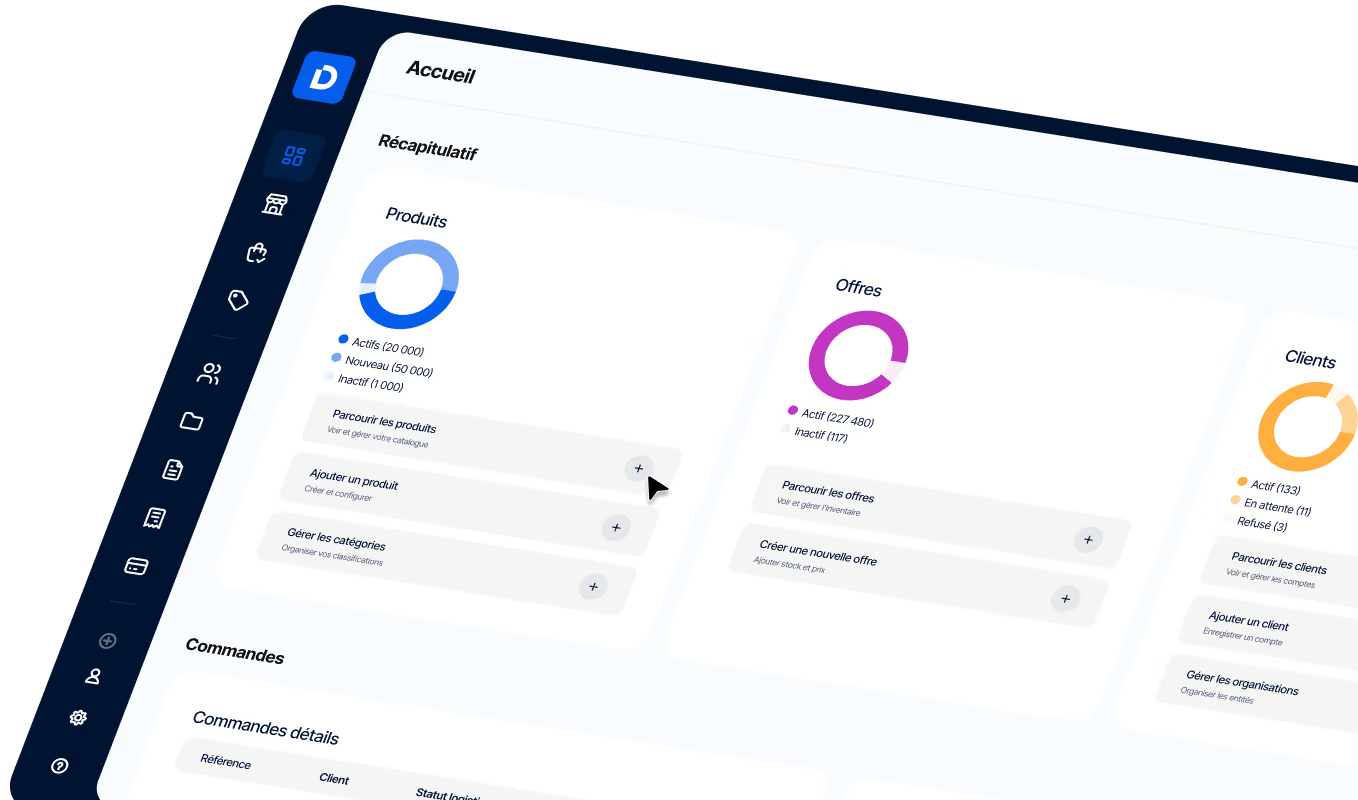
How to Successfully Integrate CRM and ERP in a B2B E-Commerce Project
CRM-ERP integration in B2B e-commerce: definition, benefits, and the data to sync to get it right. Discover the 5-step method.
Article summary
- CRM/ERP integration automatically connects the CRM, ERP, and B2B e-commerce platform to sync data, eliminate duplicate entry, and create a single source of truth.
- A successful integration boosts productivity, keeps inventory and pricing accurate, speeds up order processing, and gives you a 360° view of your customers.
- Project success depends on a clear approach: define a master system for each data set, choose the right architecture (connector, iPaaS, or API), test the data flows, and monitor syncs after deployment.
- Avoid common mistakes such as weak data governance, syncs that are too slow, or insufficient testing, which can undermine data quality and the customer experience.

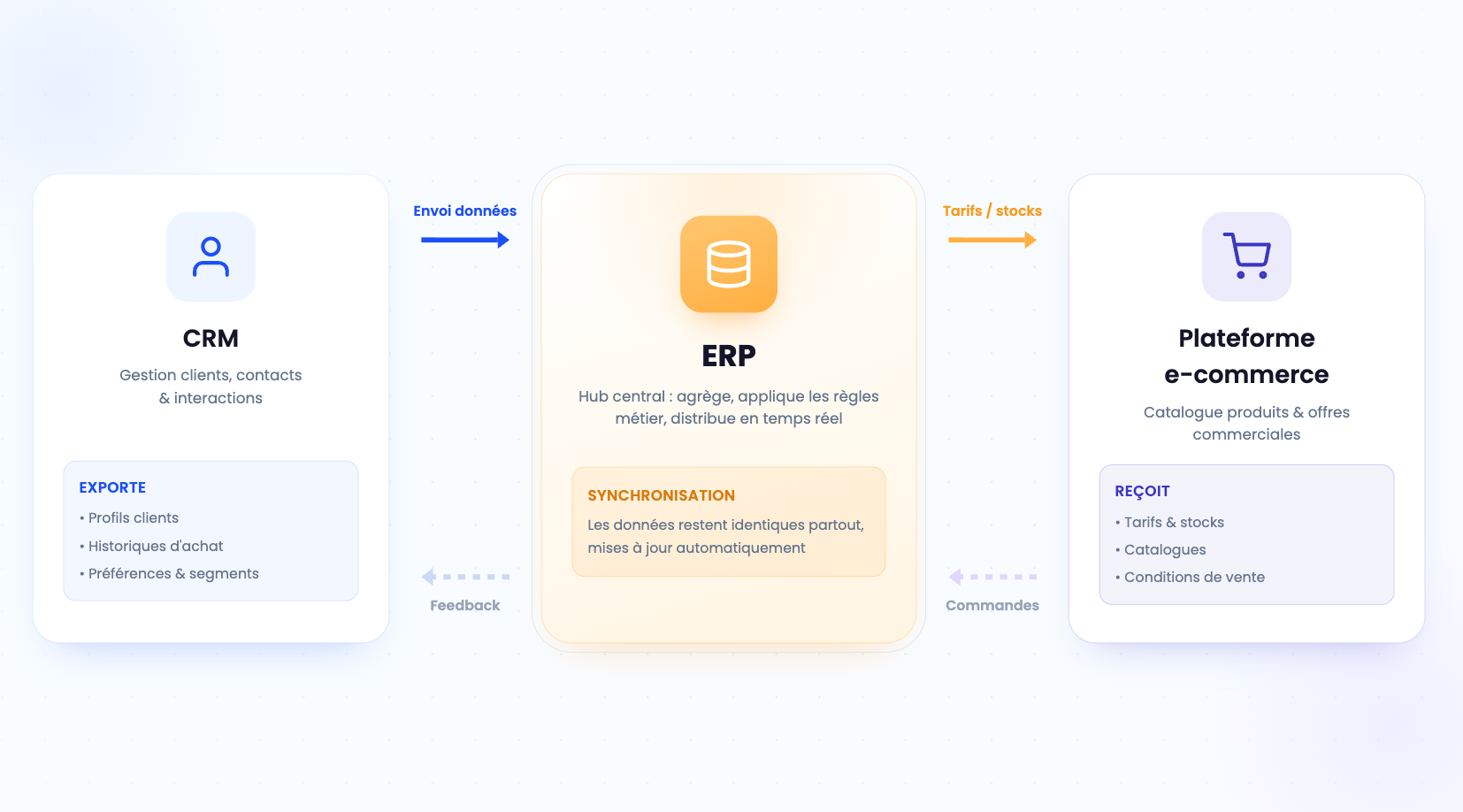
CRM and ERP integration connects customer relationship management software (CRM) and enterprise resource planning software (ERP) so data flows automatically, without manual re-entry. In a B2B e-commerce project, this sync connects the commercial front office (accounts, quotes, orders) with the back office (inventory, pricing, invoicing) and the online store. The result: a single source of truth, more reliable data flows, and a 360° view of the customer. Done well, it reduces input errors, speeds up order processing, and supports growth. Done poorly, it creates duplicates, false stockouts, and lost revenue.
CRM ERP integration: definition and stakes for B2B e-commerce
A CRM manages the commercial relationship: prospects, accounts, interaction history, and opportunities. An ERP runs operations: accounting, purchasing, inventory management, invoicing, and logistics. As long as these two systems operate in silos, the same information — a price, a shipping address, an order status — exists twice and drifts apart. Integration closes that gap by creating two-way data flows. In practice, when an order is confirmed on the store, it flows into the ERP for invoicing, then comes back enriched with its number and status in the CRM. The main pitfall is integrating without defining a system of record for each data set: without that rule, two competing updates overwrite each other and data quality collapses.
| System | Main role | Data managed | Users |
|---|---|---|---|
| CRM | Manage the relationship and sales cycle | Accounts, contacts, quotes, opportunities, interactions | Sales, marketing, customer support |
| ERP | Run operations and finance | Inventory, pricing, orders, invoices, purchasing | Finance, logistics, sales operations |
| B2B e-commerce platform | Sell online and showcase the catalog | Catalog, account-based pricing, cart, order status | Customers, digital teams |
CRM, ERP, and e-commerce platform: three complementary building blocks
These three systems don't replace one another — they complement each other. The CRM captures demand, the ERP executes, and the store presents the offer and records the order. A modern B2B platform often acts as the orchestrator by centralizing the catalog and commercial terms. A concrete example: a distributor applies negotiated discounts by customer. The reference price lives in the ERP, the contractual discount in the CRM, and the store must display the personalized net price to the right buyer. Without integration, that calculation is done manually and multiplies errors. Mini method: map, for each data set, the system that creates it, the one that consumes it, and the channel that displays it.
Why B2B e-commerce makes integration essential
Business buyers now order like consumers: online, independently, and at any time. According to Gartner, 80% of B2B sales interactions happen through digital channels, and buyers spend only 17% of their buying time interacting with suppliers. That shift requires reliable real-time data: an incorrect price or inaccurate stock level shown in self-service directly leads to a lost order or a dispute. Example: a customer orders 500 units shown as available when the ERP only has 200. Without inventory sync, the promise can't be kept. CRM ERP integration therefore becomes the foundation of a credible buying journey.
6 benefits of a successful CRM ERP integration
Beyond the technical side, integration delivers measurable gains in productivity, data reliability, and customer experience. By streamlining the B2B sales process, it shortens the time between demand and cash collection. Here are the six most tangible benefits seen in B2B e-commerce projects.
- No more double entry: orders created online feed the ERP without manual re-entry, reducing errors and freeing up time for sales operations teams.
- Up-to-date inventory and pricing: the store displays reliable real-time availability and account-based pricing, limiting disputes and cancellations.
- Faster order processing: the quote-to-cash cycle becomes automated, from cart to cash collection.
- 360° customer view: sales and support teams can access purchase history, outstanding payments, and delivery statuses in one record.
- Data-driven management: consolidated KPIs such as average order value, processing time, and repeat purchase rate become usable for decision-making.
- Better support for growth: new channels such as marketplaces and distributors can be added on top of already reliable flows.
7 key data sets to sync between CRM, ERP, and e-commerce
An effective integration doesn't sync everything — it syncs the right objects, in the right direction, at the right frequency. Defining a system of record for each data set avoids write conflicts. The table below shows a proven setup for B2B e-commerce.
| Data object | System of record | Sync direction | Frequency |
|---|---|---|---|
| Accounts and customers | ERP | ERP to CRM and store | Real-time / hourly |
| Contacts and buyers | CRM | CRM to store | Real-time |
| Product catalog | ERP or PIM | to CRM and store | Daily |
| Pricing and terms | ERP (prices), CRM (discounts) | to store | Real-time |
| Inventory | ERP or WMS | to store | Real-time |
| Orders | Store | Store to ERP and CRM | Real-time |
| Invoices | ERP | ERP to CRM | On issue |
The sync direction matters as much as the frequency. Accounts and the catalog usually flow from the ERP to the store, while orders flow from the store to the ERP. Pricing combines two sources: the base price comes from the ERP, and contractual discounts come from the CRM. Documenting these directions in a data dictionary avoids back-and-forth and conflicts. For a rich catalog, a PIM can become the system of record for product sheets, while the ERP keeps control of pricing and inventory. A common pitfall is syncing inventory only once a day. In B2B, order volumes are high, and a delay of just a few hours is enough to sell out-of-stock products.
How to succeed with CRM ERP integration: methods and architecture
Successful CRM ERP integration depends as much on the approach as on the tools. There are three main options: a native connector provided by a vendor, an integration platform (iPaaS) that orchestrates flows through prebuilt connectors, and a custom API developed in-house. The right choice depends on flow volume, real-time requirements, technical resources, and future ambitions. Example: a company with a standard, lightly customized ERP will benefit from a native connector; a multi-channel organization with complex pricing rules will get more value from an iPaaS or an API-first approach. The classic trap is multiplying point-to-point integrations: every new system adds fragile links, and maintenance becomes unmanageable. An API-centered architecture reduces that technical debt.
V.R.I.E. decision framework: choosing your integration method
- Flow volume: low favors a connector; high favors iPaaS or API.
- Expected responsiveness: real-time needs point to event-driven APIs (webhooks).
- Available IT resources: limited resources favor a connector or managed iPaaS.
- Scalability: future channels argue for an API-first foundation.
iPaaS, API, and connectors: which integration method should you choose?
A native connector is a good fit for standard needs: quick to deploy, maintained by the vendor, but limited in customization. iPaaS adds flexibility through prebuilt recipes and visual mapping, making it ideal for orchestrating multiple applications. A custom API gives you full control, at the cost of in-house development and maintenance. Example: to connect a legacy ERP to a modern store, a progressive ERP integration through iPaaS reduces risk and enables batch testing. Mini method for deciding: list the objects to sync, estimate daily volumes, then compare those needs against the four criteria in the V.R.I.E. framework. The approach to modernizing your B2B commerce from an existing ERP lays out a step-by-step path.
The API-first and headless approach for scalable B2B e-commerce
A headless architecture separates the storefront (front end) from the business services (back end), connected through APIs. This decoupling makes it possible to expose the catalog, pricing, and inventory to multiple channels — website, app, marketplace — from a single source. An API-first approach streamlines CRM ERP integration: each system communicates through standardized interfaces rather than rigid connections. Example: a hub-style integration layer (a data hub) centralizes exchanges and transforms data in transit, which makes it easier to add a new software for a B2B website. Changes can then be made through configuration, without rebuilding everything. Choosing the right B2B e-commerce platform therefore means checking the strength of its APIs and connectors.
How to deliver the integration project in 5 steps
An integration project unfolds in five key steps. Each one produces a deliverable that shapes the next. This model acts as a guide, from scoping to post-launch management. It fits into a broader approach: building a solid B2B e-commerce business plan aligns budget, scope, and goals before technical work begins.
| Step | Goal | Key deliverable | Tracking KPI |
|---|---|---|---|
| 1. Scoping | Align business needs and scope | Requirements document, objects to sync | Scope approved |
| 2. Data mapping | Define systems of record and rules | Data dictionary, transformation rules | Field mapping rate |
| 3. Technical choice | Select method and tools | Target architecture (connector / iPaaS / API) | Decision documented |
| 4. Testing and validation | Verify flows and edge cases | Test plan, data sets | Issue resolution rate |
| 5. Go-live and monitoring | Deploy and monitor | Flow dashboard, recovery plan | Availability, sync errors |
Each step benefits from a short review. Scoping sets the boundaries and removes off-topic requests. Data mapping turns business rules into usable specifications. The technical choice builds on the decision framework above. Testing validates real-world scenarios before launch. Monitoring, finally, turns the project into a lasting service: without a flow dashboard, a silent outage can go unnoticed for hours. A common mistake is skipping testing to hit a deadline. An order flow that hasn't been tested against edge cases (unknown customer, out-of-stock product, foreign currency) causes production blocks that are expensive to fix.
DJUST, the B2B e-commerce platform that unifies CRM and ERP
Integration failures tend to look the same. Anticipating them helps avoid delays, overruns, and loss of user trust. Here are five recurring mistakes and the practical fix for each.
- No system of record: two sources update the same data and overwrite each other. Fix: assign a single owner for each object from the mapping stage.
- Inventory sync too slow: daily batch updates show false availability. Fix: move inventory and pricing to real-time.
- Data not cleaned before migration: duplicates and inconsistent fields pollute both systems. Fix: deduplicate and normalize upfront.
- Testing neglected: edge cases aren't covered. Fix: build a test plan that covers real scenarios.
- No monitoring: flows fail without alerts. Fix: set up a dashboard and alerts for sync errors.
At the system level, these pitfalls mirror the mistakes to avoid in B2B commerce. A well-scoped, well-tested project secures the go-live.
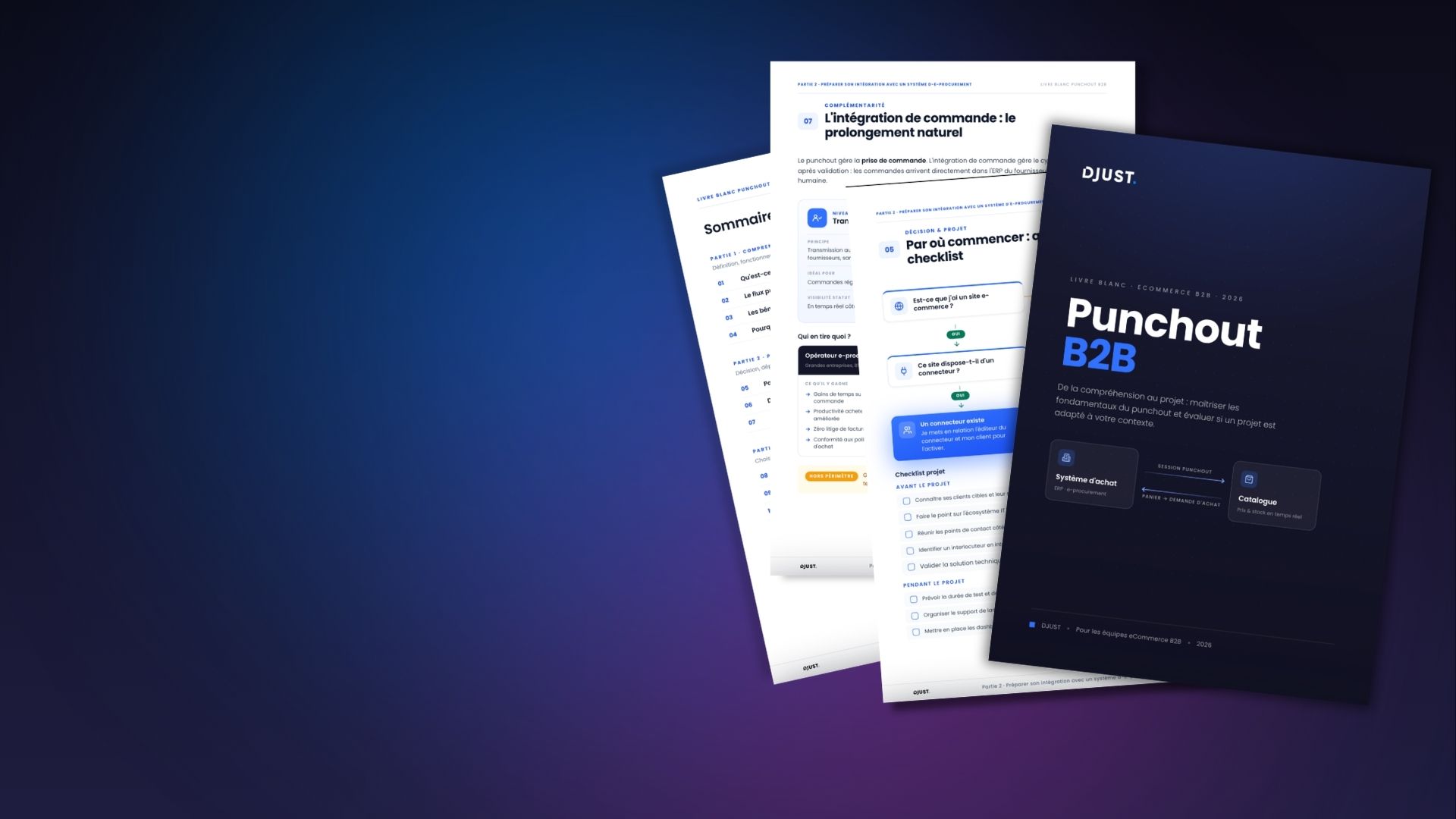
→ Download our checklist before you get started



.jpg)