Connecting Odoo to DJUST Sales to automate B2B orders
Connecting Odoo to DJUST Sales allows you to automate B2B order processing while keeping your ERP as the single source of truth. Discover how this native connector synchronizes your data and simplifies your sales team's daily workflow.
Article summary
- Connect Odoo to DJUST Sales using a native connector, with no custom development or scripts required.
- Automatically synchronize product catalogs, pricing, inventory, accounts, and contacts from Odoo, which remains your single source of truth.
- Automate B2B order processing for orders received via PDF, Excel, image, email, or CSV using AI, then create the sales order directly in Odoo.
- Reduce administrative tasks by 60% from the very first month and achieve ROI within 3 months by automating your order processing.
.avif)
Why has connecting your ERP to sales tools become a critical priority?
In most B2B companies, the ERP is the authoritative system: it is where product catalogs, pricing, inventory, and customer records live. However, the ERP is rarely the only system used by sales teams on a daily basis. Between CRMs, quoting tools, tracking spreadsheets, and email exchanges, data often ends up duplicated across multiple locations, leading to discrepancies that accumulate over time.
Common friction points look like this:
- a price updated in the ERP but not in the file used by the sales team
- a customer created twice in two different systems, with two different spellings
- a manually entered order that does not match the exact product references
- stock displayed as available to the sales team when it is already sold out in the ERP
This is why the connection between the ERP and sales tools has become a strategic priority. A ERP integration done right doesn't just exchange files once a month: it continuously synchronizes master data in one direction and pushes orders back in the other, ensuring the ERP remains the single source of truth without becoming a bottleneck.
Why does the ERP remain at the heart of the B2B information system?
An ERP (Enterprise Resource Planning) system is the software that centralizes a company's resource management: purchasing, sales, inventory, accounting, and sometimes production or human resources, depending on the modules deployed.
Some of the most widely used ERPs in France and Europe:
Historically, it is the most foundational system in an organization—the one that other tools enrich or consume rather than replace. The more functionally rich an ERP is, the more cumbersome it becomes to use for ad-hoc tasks like quickly qualifying an order received via email. This is where connectors that allow the ERP to communicate with more specialized tools come in, without duplicating data or compromising the consistency of the master database.
What is Odoo?
Odoo is a modular, open-source ERP highly popular among SMEs and mid-market companies, particularly in manufacturing and distribution, thanks to its flexibility, which allows users to activate only the necessary modules. It is also one of the few to offer a self-serve approach.
This level of customization, unique to each company, makes a native connector essential: it must adapt to the user's actual database rather than imposing a rigid structure.
What is an AI sales copilot like DJUST Sales?
An AI sales copilot is a tool that sits on top of your ERP and CRM to automate repetitive order processing tasks, such as reading incoming documents, matching them against the catalog, and creating purchase orders. Unlike a traditional ERP, it is not intended to replace your existing system but rather to connect to it to handle the most time-consuming aspects of sales administration. DJUST Sales is a perfect example of this type of tool, designed specifically for B2B order processing, and has just launched a native connector for Odoo.
What is the Odoo x DJUST Sales native connector?
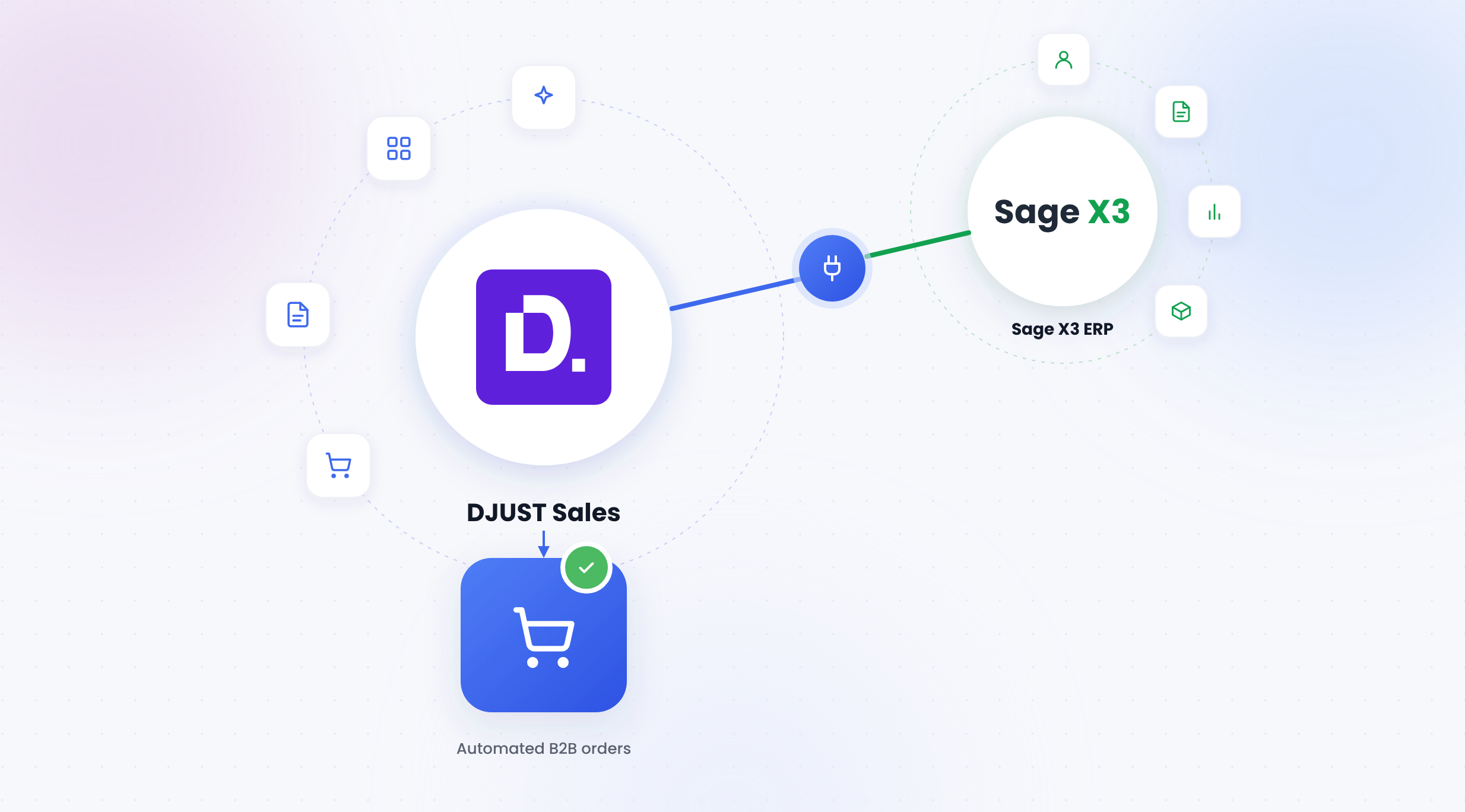
It is in this context that DJUST Sales, an AI sales copilot for B2B order processing, offers a native connector for Odoo. In practical terms, it is an add-on that plugs directly into the ERP—without the need for custom scripts or development—to automatically synchronize the data the AI tool needs and push back what it produces into Odoo.
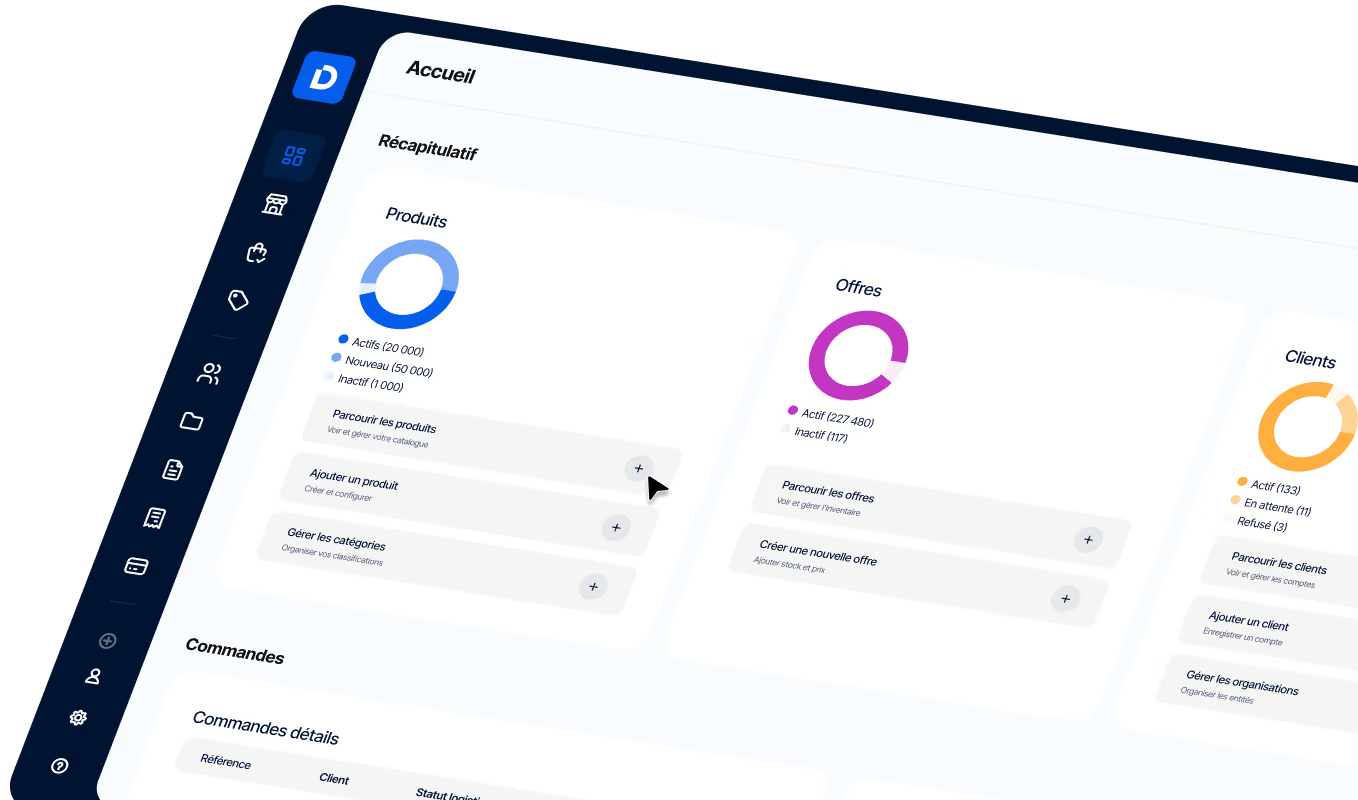
The connector is configured in just a few clicks from the DJUST Sales Data Hub, the space that centralizes all data flows between the application and external systems in both directions:
The concept remains the same regardless of the connected ERP: a single interface to manage the feeding of the DJUST Sales database and the automatic export of orders to the external system.
How does the connector synchronize the catalog, pricing, and inventory from Odoo?
Once the connector is enabled, this AI sales management copilot automatically retrieves three data streams from Odoo:
- Product catalog : SKUs, descriptions, and attributes, kept up to date without manual re-entry
- Price lists : up-to-date pricing, including client-specific negotiated terms
- Inventory : real-time availability, to avoid offering out-of-stock items
Each stream can be enabled or disabled independently, set to sync at your team's preferred frequency, or triggered manually when needed. Sync status remains visible in real time within the Data Hub, complete with a history of recent runs and any mapping errors that may need attention.
The direct benefit is that the catalog used to qualify and process orders always reflects the actual state of your ERP. No more exporting Excel files every week to reload them into your sales tool, or discovering a month later that a price or SKU wasn't updated.
How does DJUST Sales retrieve customer accounts and contacts already in Odoo?
The same principle applies to customer data. Accounts, contacts, and negotiated rates existing in Odoo are automatically available in DJUST Sales, with no need to recreate or manually re-import them. This avoids a classic pitfall of ERP integration projects: double entry, where a sales rep has to maintain the same customer record in two different places, risking long-term inconsistencies. Here, Odoo remains the single source of truth for customer data, and DJUST Sales aligns with it automatically.
How does DJUST Sales handle orders received via PDF, Excel, image, or email?
This is where the Odoo connector meets the core of the product: intelligent processing of incoming orders. An order can arrive in almost any format, depending on the client or the usual channel:
- a PDF purchase order
- an Excel file Excel
- a simple image or photo taken in the field
- an email with details in the body of the message
- a CSV uploaded to an SFTP server
DJUST Sales accepts these formats without any prior client-side configuration. As soon as a document arrives, an extraction AI automatically identifies the relevant information: account, contact, order number, payment terms, requested delivery date, and, most importantly, the order line details. Each extracted line is then matched against the catalog synchronized from Odoo, with a match indicator that flags whether the reference was found exactly or if a manual check is required. The sales representative simply reviews this proposed match, corrects the few fields flagged as uncertain, and moves to the next step.
What happens once the order is validated in DJUST Sales?
Once the reconciliation is verified, a single click is all it takes to validate the request. DJUST Sales then automatically creates the purchase order directly in Odoo, with the correct customer, product lines, quantities, and amount. The document appears in Odoo sales orders exactly as if it had been entered manually, ready to be invoiced or tracked according to the team's usual process. For the sales representative, the task ends with verification and validation.
What concrete results can be expected from this type of ERP integration?
This automation mechanism, from the synchronized catalog to the order recreated in Odoo, is one of the key drivers behind the results observed with this AI sales management tool as a whole:
For teams handling a high volume of orders via email or PDF, the time saved goes beyond just data entry: it also includes errors avoided, fewer back-and-forth exchanges to clarify ambiguous references, and the time sales representatives can reinvest in selling rather than administration.
Is the DJUST Sales Odoo connector right for your business?
This connector is primarily designed for companies that meet one or more of the following criteria:
- you already use Odoo as your ERP
- your orders arrive through unstructured channels: email, PDF, Excel, or sometimes even a photo sent from the field
- your team still spends a significant amount of time manually re-entering these orders before they appear in your ERP
- you want your sales team to focus on selling rather than data entry
- you are looking for an AI copilot or an AI-powered sales management tool to make this process faster and more reliable
If your ERP is not Odoo, the same connection logic already applies via SFTP, with Dynamics 365 and Sage X3 coming soon.
FAQ
Does DJUST Sales replace my Odoo ERP?
No. DJUST Sales is an AI sales copilot that integrates with Odoo, it does not replace it. Odoo remains your core management system; DJUST Sales handles incoming order processing and syncs the results back into Odoo.

Is my catalog and customer data duplicated between Odoo and DJUST Sales?
No. Odoo remains the single source of truth. DJUST Sales automatically synchronizes your catalog, pricing, inventory, accounts, and contacts from Odoo, so your team never has to manually re-enter or re-import data.
Is custom development required to connect Odoo to DJUST Sales?
No. The connector is native: it can be configured in just a few clicks from the DJUST Sales Data Hub, with no scripts or custom integration required.
How often is the Odoo catalog synchronized with DJUST Sales?
At the frequency chosen by the team. Each feed (catalog, pricing, inventory) can also be synchronized manually at any time if needed.
Which order formats can the connector process automatically?
PDF, Excel, images (such as a photo of a purchase order), emails, and CSV files. The AI extracts relevant information and matches it against the catalog synchronized from Odoo.
What concrete results can be expected after connecting DJUST Sales to Odoo?
Teams using DJUST Sales see a 60% reduction in administrative tasks within the first month, achieving a return on investment in just 3 months.
Does the connector work with ERPs other than Odoo?
Yes, via an SFTP connector already available for reading CSV files for catalogs, pricing, and inventory. Native connectors for Microsoft Dynamics 365 and Sage X3 have been announced.


.png)

.jpg)