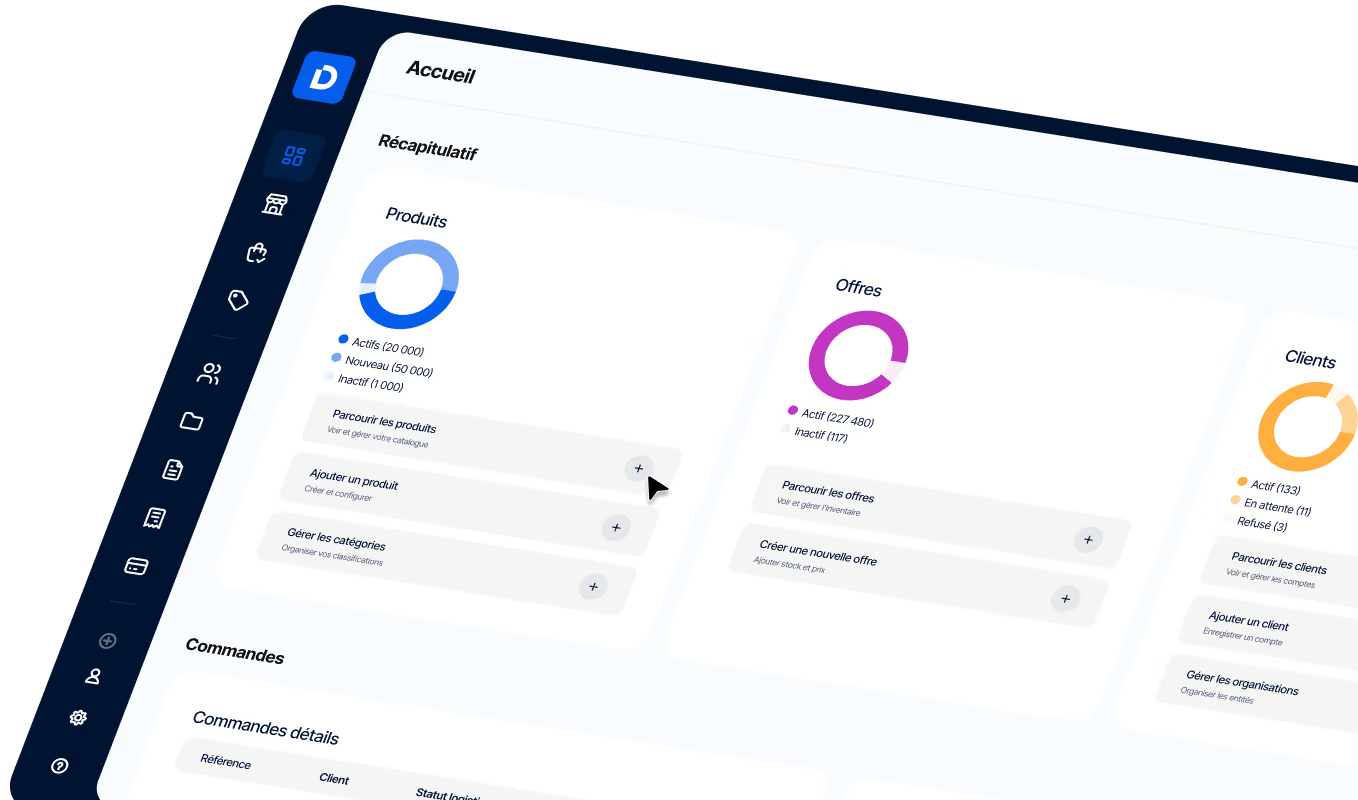
10 Tips to Increase Revenue from Your B2B Store
Boost your B2B store revenue with these 10 tips: optimize digital sales channels, streamline orders, and improve the customer experience.

By optimizing your B2B store for the digital landscape, you can grow revenue from existing customers and even attract new ones. According to Gartner, 80% of B2B transactions will take place through digital channels by 2025.
As 360 Research Reports points out, B2B e-commerce is growing at an annual rate of 18%. This highlights the potential of digital stores that streamline and optimize the buying process with enterprise commerce platforms. For a B2B store, online transactions are essential to how your organization operates. These optimizations can improve the online experience for both you and your customers, ultimately driving more sales. In this article, we’ll explore ten specific tips to help you reach your target audience and increase revenue for your B2B store.
Short on time? Here’s the key takeaway:
- B2B transactions will happen primarily online, so optimizing your B2B store to be more efficient for customers can help increase sales.
- Optimize your B2B store with an enterprise commerce platform.
- Effective optimizations for your B2B store include adding geolocation features, product bundles, a quick order system, a product comparison tool, related product recommendations, restricted product assortments, quote-based ordering, collaborative purchasing, FAQ pages, and tiered pricing.
Tip #1: Add geolocation to prioritize the closest products
When you run a B2B store and order products, convenience and efficiency always matter. To help your potential customers, you should integrate geolocation features into your B2B store. By using geolocation data, you can surface the closest products first, simplifying the ordering process and reducing delivery times.
For example, you’re a coffee supplier selling to hotel or restaurant chains. Your recurring customer needs to reorder coffee supplies. When staff log in to their account to reorder supplies from their usual supplier, they’re prompted to enter their location using their postal code. The e-commerce platform can use that geolocation data to filter product listings and show the closest options first. This will show the hotel or restaurant that the coffee supplies they usually order are farther away. But another very similar product is closer to them.
Tip #2: Build a product comparison tool
For businesses centered on technical products, a product comparison feature would be highly valuable. Buyers of technical products often look for specific sizes, technical specifications, and more, which can be overwhelming when browsing the many online options. By providing a framework to compare your most similar products, you can help customers make informed decisions and avoid confusion.
As part of a B2B order management software solution, this tool could let buyers compare different product attributes side by side. The clearer your products are to them, the better the experience — and the more likely they are to buy more and become loyal customers.
For example, take DeSter, a company specializing in packaging solutions for airlines. Among the products they offer are two types of food containers for in-flight service. One is suitable for heat resistance, and the other is not. A customer looking to buy food containers for their airline may find it difficult to understand the difference between these two options. By using a product comparison tool, DeSter can clarify the key product attributes for the customer. This will help the customer make an informed decision and strengthen trust in DeSter as a brand.
Tip #3: Promote related products
Another way to close a sale and build customer loyalty is to promote related products. If the product a customer is looking for is out of stock, related products are strategically promoted to show alternative or similar options. Not only are you being proactive, but you’re also creating a personalized shopping experience.
For example, take a company that supplies products and machinery to gardening businesses. One of their best-selling products is a specific portable water pump, which is currently out of stock. A recurring customer visits their website to order the water pump for an upcoming project and sees that it’s unavailable. Instead of sending the customer away empty-handed and letting them look elsewhere, the B2B store uses a related-products strategy with its payment software. That means the customer is shown alternatives to the water pump made by another manufacturer and very similar to what they originally wanted.
Tip #4: Restrict your product assortment
When customers visit your B2B store, the goal is to save them time and offer the best options. Searching through endless product catalogs can quickly become overwhelming and time-consuming for buyers looking for the right product. To address this challenge, you can create restricted product assortments based on specific criteria and prioritize offers according to relevant guidelines.
- Restricted assortments: A large French retail chain similar to Target sells products to its stores in the Middle East. However, regulations in several Middle Eastern countries restrict the sale of alcohol. To ensure compliance and buyer satisfaction, Monoprix offers restricted product catalogs that remove alcoholic products from regions where alcohol sales are prohibited.
- Relevant assortments: Imagine a construction company that supplies materials to builders. They could narrow the product assortment based on relevant criteria they’ve identified in the market, such as recyclable or earthquake-resistant materials, depending on local regulations. They might also know that a specific region prefers local wood and restrict product assortments accordingly.
Expert tip: With a headless eCommerce platform, you can easily tailor your product assortments to specific audiences or market segments. By restricting product offers based on relevant criteria, such as customer preferences, you can streamline the shopping experience on your B2B store.
Tip #5: Offer product bundles
Product bundles can increase sales by meeting your customers’ strategic needs and offering several relevant products at a competitive price. Product bundles consist of offering complementary products alongside your best sellers at a good price. By carefully addressing your customers’ needs, you can strengthen loyalty and trust in your brand.
For example, during Easter season, a wholesale chocolate supplier can offer a bundle containing premium chocolates and woven baskets. This bundle will appeal to businesses looking to simplify seasonal purchasing. Another example would be for distributors of paint supplies. A strong product bundle could include items such as paint cans, brushes, and rollers with protective gear. This bundle offers a practical solution for buyers working on a painting project.
Tip #6: Implement a quick order system
By setting up a quick order system in your B2B store catalog, you can give customers a seamless way to buy products. A quick order system can be implemented in several ways. To keep it simple, we’ll break it into two categories: repeat orders and new orders.
- Repeat orders: By accessing their order history, customers can simply reorder the same products in one click and adjust quantities if needed. It’s a valuable feature for a supplier management portal and a major time-saver for B2B companies, since approval workflows are long and complex. It creates a great customer experience by eliminating the need to manually search for products again.
- New orders: With a new-order system, customers should be able to drag and drop an Excel sheet into their e-commerce platform. This tool lets customers place orders quickly and efficiently.
These tools not only create a great customer experience, but also save time.
Take the example of a fashion footwear supplier with major customers like Foot Locker. With a quick order system in place, Foot Locker can reorder its “classic” collection, ensuring its popular products are always in stock without having to select each item individually.
Tip #7: Make one-click purchasing possible: quote-based ordering
Create efficiency for your customers by enabling quote-based ordering. With this tool, customers avoid the hassle of back-and-forth emails and quote exchanges. Suppliers can also manage and track quotes in a dedicated area. For B2B companies with high transaction volumes, efficiency is critical. Quote management software not only ensures accuracy, but also streamlines the buying process.
Take the medical sector, for example, where a supplier specializes in equipment for MRI machines. A customer needs a quote for 300 gradient coils for new MRI machines. Using the one-click purchasing tool, the supplier creates a quote directly in the e-commerce platform. The customer then accesses the quote in the platform as well, eliminating any email back-and-forth. The customer can review, negotiate, or approve the quote quickly and efficiently.
Tip #8: Make purchasing collaborative
Everyone, regardless of role, should be able to take part in online purchasing. Sales teams should be able to place orders for customers, while customers themselves can create wish lists or edit orders based on their needs and responsibilities. Employees can work together by creating wish lists that are then reviewed by their managers. These tools give everyone involved in the buying process their own role and permissions, making the process simpler and more collaborative. With a cloud e-commerce platform like DJUST, everything is centralized in one place, preventing errors or delays in the buying process caused by Excel sheets or PDFs.
Imagine you’re a fashion company selling intimate apparel. You supply department stores like Nordstrom. Through the e-commerce platform, a junior Nordstrom buyer creates a wish list for the upcoming season, and senior stakeholders provide feedback to refine the selection. This ensures the final product selection meets Nordstrom’s needs for the season ahead.
Tip #9: Create an FAQ page
One way to answer common questions and reduce the workload on your customer service team is to create an FAQ page on your B2B store. FAQs are widely used and can greatly improve the customer experience on your B2B store by providing answers to common questions and resolving issues before they reach customer support. A product detail page simply can’t hold all the information needed to answer every question, and the FAQ page can really help.
For example, DeSter, the airline packaging solutions company mentioned earlier, can use FAQs to make information easily available about products, sustainability, ordering and shipping processes, and customization options.
Tip #10: Offer tiered pricing for bulk orders
Encourage customers to buy more of your products by setting up a tiered pricing structure based on the number of items purchased. Incentivize larger orders by clearly presenting your pricing model through the e-commerce platform. Tiered pricing also builds trust and long-term loyalty by showing customers that your products deliver value. Pricing list software is essential for implementing this strategy.
For example, a wholesale office supplies distributor with corporate customers can benefit from tiered pricing. When a corporate customer wants to restock office supplies, they’ll be encouraged to order from the wholesale distributor because they’ll get significant savings by replenishing their entire office with pens, paper, and more.
Expert tip: DJUST offers a complete solution for optimizing your B2B store. Our products can help you with everything mentioned in this article and much more.
In conclusion
To increase revenue and attract more customers, B2B stores need to optimize and adapt to digital channels. This can be achieved through many features such as geolocation for personalized recommendations and product comparison tools for informed decision-making.
To implement these strategies, you need great software that supports a modular B2B eCommerce approach. By saving your customers time and creating efficiency, you’ll see B2B sales grow, with customers coming back for more.
-modified.avif)
.png)
.avif)

.jpg)