Intranet vs. Extranet: Key Differences for a B2B Company
Choose the solution that fits your B2B business. Explore the differences between an intranet and an extranet, their definitions, and their main use cases.
Article summary
- The intranet is reserved for employees, while the extranet provides secure access for customers, suppliers, and partners to make B2B exchanges easier.
- The extranet acts as a true B2B portal, allowing you to manage orders, deliveries, invoices, and custom catalogs independently.
- The choice between an intranet and an extranet depends on your goals: improving internal collaboration, expanding exchanges with your partners, or combining both on a unified platform.
- The success of a project depends on strict access management, integration with your IT systems (ERP, CRM), and a smooth user experience, to ensure security, productivity, and adoption.

An intranet is a private network reserved for members of an organization, while an extranet provides secure access to outside parties such as customers, suppliers, or partners. Both rely on the same web technologies, but they serve different audiences: the intranet supports internal collaboration, while the extranet supports collaboration with the outside world. In B2B, that distinction matters, because an extranet often takes the form of a commercial portal where customers place orders and track deliveries.
Intranet and extranet: two simple definitions
Intranet and extranet are both private networks built on internet technologies, but their access scope differs. An intranet stays closed to employees; an extranet extends that scope to selected external users. Confusing the two leads to poor project sizing: opening an intranet to customers without proper segmentation exposes sensitive internal data.
Common pitfall: thinking an extranet is just an open intranet. In reality, it adds a layer of security, authentication, and permission management for each external profile.
What is an intranet?
An intranet is a private network accessible only to an organization’s employees. It centralizes internal communication, document sharing, and access to work tools behind a firewall and login credentials. In practice, employees use it to find directories, procedures, internal notes, and business applications.
Quick method: map out strictly internal content (strategy, HR, working documents) before launching an intranet project so you can size access rights and site structure correctly. Modern intranets now look like cloud-based, mobile-friendly, easy-to-use tools.
What is an extranet?
An extranet is a private network that provides secure access to authorized third parties: customers, suppliers, distributors, or service providers. It extends part of the IT environment outward through a web portal protected by authentication and granular access rights.
Example: a customer logs in to track orders, download invoices, or view a negotiated catalog. Quick method: apply the principle of data minimization, so each external profile sees only the data relevant to its relationship. In B2B, an order management tool is often the core of the extranet.
Distinguishing intranet and extranet in 3 questions
- Who has access? Employees only (intranet), or also outside parties such as customers and suppliers (extranet).
- What is it for? Streamlining internal collaboration (intranet) or commercial exchanges with the outside world (extranet).
- How open is it? A closed network behind the firewall (intranet), or controlled access segmented by profile (extranet).
Intranet vs. extranet: 5 key differences
Beyond the definition, five criteria clearly separate intranet and extranet: audience, purpose, access scope, security level, and governance. The intranet targets employees and is designed to boost internal productivity; the extranet targets external partners and is designed to support B2B collaboration and service quality. On the access side, the intranet remains segmented behind the company firewall, while the extranet exposes a controlled gateway on the internet with stronger authentication. Security scales differently: because it is more open, the extranet requires granular access rights, encrypted exchanges, and strict GDPR compliance. Finally, governance differs: an intranet is run by a single organization, while an extranet may involve multiple parties, including customers and suppliers.
Pitfall to avoid: applying an intranet security policy to an extranet. Poorly segmented external access increases the risk of data leaks.
Internet, intranet, extranet: stop mixing them up
Three environments rely on the same web technologies, but they don’t address the same audience. Getting them right helps avoid costly project mistakes.
Internet. This is the global network, open to everyone through a browser. For a company, it powers the corporate website, marketing, and the public online store: this is where you look to improve an e-commerce site and capture leads.
Intranet. This is the internal network, reserved for employees and dedicated to internal communication, document sharing, and collaborative work.
Extranet. This is the secure extension of the intranet to authorized third parties (customers, suppliers, partners) through a controlled-access web portal.
Simple rule: the internet is public, the intranet is internal, and the extranet is reserved for selected outside users.
Classic pitfall: treating the extranet like a public website. An extranet remains private and user-specific, and each user authenticates to access only their own scope.
B2B example: the corporate website attracts prospects, the intranet equips teams, and the extranet transforms customer relationships through a dedicated B2B sales portal.
What is an extranet used for in B2B?
In B2B, an extranet goes beyond simple document sharing: it becomes a commercial portal that digitizes relationships with customers and suppliers. Buyers now expect a self-service experience similar to B2C. According to McKinsey’s B2B Pulse 2024, one-third of buyers prefer self-service digital channels at every stage of the journey, and they use an average of ten interaction channels. A high-performing B2B extranet meets that expectation by centralizing orders, catalogs, and invoicing in a single space, driving productivity and loyalty. This type of B2B tool works best when connected to your IT systems.
Pitfall to avoid: launching a portal without connecting it to the ERP, which brings back manual re-entry and errors.
The customer portal: order and track independently
The customer portal is the most common extranet use case in B2B. It lets each buyer view a catalog and negotiated pricing, place orders, track deliveries, and download invoices without involving a sales rep. Example: a distributor gives its resellers a personalized space with their contract pricing and purchase history.
Quick method: prioritize the three most requested actions (order, track, invoice) before expanding the portal. Digitizing the B2B product catalog and integrating a B2B-friendly payment solution streamline the entire buying experience.
The supplier portal: make replenishment more reliable
The extranet also works upstream, through a supplier portal. Suppliers use it to view tenders, update availability, track purchase orders and deliveries, which makes the supply chain more reliable and reduces email back-and-forth. Example: a buying group manages replenishment and supplier orders from a single space.
Quick method: define access rights by supplier (view only, document upload, stock updates) to prevent any data leakage. A connected e-procurement portal completes the setup effectively.
The B2B extranet features you should require
- Personalized catalogs and pricing by customer or supplier.
- Order capture and replenishment in just a few clicks, with automatic quotes.
- Real-time tracking of orders, deliveries, and invoices.
- Granular access rights and user profiles (view, edit, admin).
- Connection to the ERP, CRM, and a scalable B2B website software.
Benefits and limits of each network
Each network has its strengths and constraints. The intranet excels at internal communication, productivity, and security because it stays segmented; its limitation is its closed scope, which makes it unsuitable for external exchanges, and adoption can sometimes be difficult without support. The extranet, by contrast, opens up B2B collaboration, improves customer service, and strengthens loyalty, but its openness increases the risk surface: it requires strict access management, data encryption, and GDPR compliance. It is also more complex to administer and requires careful integration with your IT systems.
How do you decide? By weighing the volume of external exchanges, data sensitivity, and available IT resources. Pitfall to avoid: underestimating extranet maintenance; without access governance or B2B process automation, the gains quickly disappear. AI and automation are exactly what help reduce that burden. The table below compares the benefits and limitations side by side.
How do you choose between an intranet and an extranet?
The choice depends on your needs, not usually on the technology.
First step: audit your use cases. Do you mainly need to streamline internal communication, or do you need to open access to customers and suppliers?
Second step: assess data sensitivity and the level of security required.
Third step: measure the volume of external exchanges; an extranet makes sense as soon as partners are numerous and recurring.
In most cases, the answer isn’t either/or: intranet and extranet complement each other, and one platform can support both with separate profiles and permissions.
Example: an industrial SMB starts with a customer portal, then adds an internal space for its teams.
Pitfall to avoid: multiplying siloed tools, which creates duplicates and maintenance costs; a unified foundation is better. To compare market solutions, a platform comparison tool helps you benchmark features, integration, and total cost. A replatforming project toward a modular platform is often the right time to unify intranet, extranet, and e-commerce.
Decide based on 5 criteria
- Audience to serve: if it’s mainly employees, lean toward an intranet; if it’s customers or suppliers, lean toward an extranet.
- Data sensitivity: highly sensitive and internal, intranet; shared with third parties, segmented extranet.
- Volume of external exchanges: low, an intranet is enough; high and recurring, an extranet becomes necessary.
- Business goal: internal cohesion for the intranet; revenue and customer service for the extranet.
- IT resources: limited, start simple; strong, aim for a unified intranet-extranet foundation.
DJUST, the B2B portal that brings sales and purchasing together
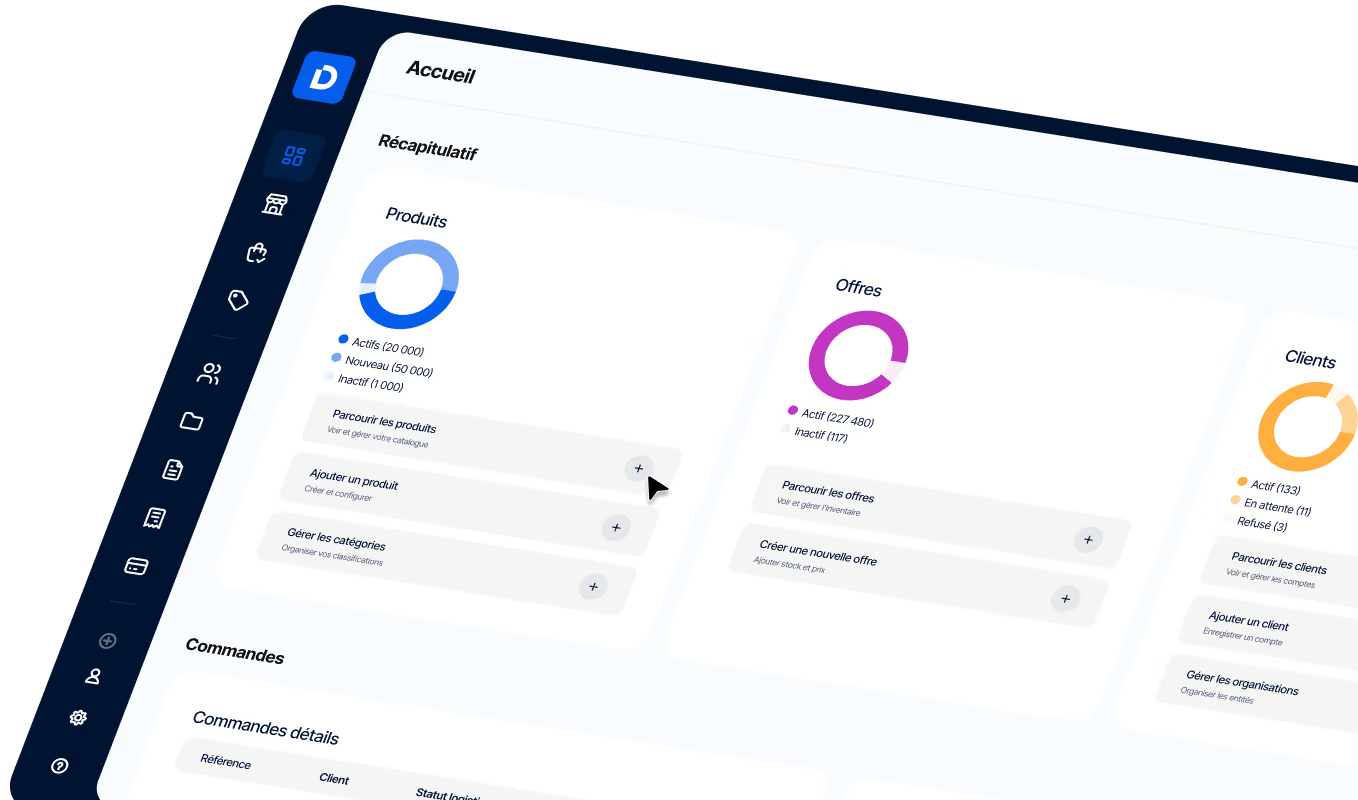
In practice, a B2B company’s extranet is often indistinguishable from its commerce platform. That’s exactly what DJUST delivers: a modular, headless solution that centralizes the catalog and B2B terms, order capture, tracking, invoicing, and B2B-ready payments. Your customers get a self-service portal to order and track deliveries, your suppliers get a dedicated replenishment space, all with access rights segmented by profile. Because the platform connects to your ERP and CRM, you unify your e-commerce site, customer portal, and supplier space on a single foundation, without multiplying tools or manual re-entry. Negotiated pricing and your B2B pricing strategy stay centralized and easy to manage.
-modified.avif)


.png)
.jpeg)