ERP or sales management software: which is right for your B2B business?
Your B2B orders arrive via email, your negotiated rates are verified by hand, and your business data is scattered across three tools that don't talk to each other. Because of constant re-entry, your teams lose hours and your error rate climbs. Should you opt for a full ERP or a more targeted sales management software? A B2B e-commerce platform like DJUST connects to these systems to automate processes without replacing your existing setup. Here are the definitions, concrete differences, modules, costs, and integration logic to help you decide.
Article summary
- An ERP centralizes all company data (inventory, sales, accounting, purchasing) into a single database.
- Sales management software covers a subset of these functions, focusing on sales and inventory.
- The choice depends on the functional scope, size, and complexity of B2B workflows.
- An isolated ERP does not natively manage B2B online commerce: it must connect to a specialized platform.

What is an ERP and how does it work?
An ERP (Enterprise Resource Planning) system is an integrated software platform that centralizes all company processes within a single database. In French, it is also referred to as a PGI (Progiciel de Gestion Intégré): both terms describe the exact same reality [1]. The concept evolved from MRP (Material Requirements Planning) systems in the 1960s and 1970s, which initially focused on production scheduling before expanding to manage all business operations. Today, business management software is classified as an ERP when it covers all operational and financial functions.
The core principle is simple: every transaction updates all relevant modules in real time. An order for 200 units automatically triggers inventory allocation, customer invoicing, automated replenishment, and accounting ledger entries—all without re-entering data. As a result, the ERP becomes the single source of truth for the organization’s product, customer, inventory, and financial data.
In a business management context, the acronym ERP refers to software, not a public-access building. The IT or business context removes any ambiguity.
ERP or sales management software: what are the concrete differences?
The key difference lies in scope. An ERP covers every business function: procurement, inventory, sales, accounting, HR, and manufacturing. Commercial management software, on the other hand, is limited to sales, inventory, and sometimes purchasing. The former interconnects all modules via a single database; the latter can operate independently or integrate with other tools. This distinction becomes critical when looking to integrate commercial management with your ERP.
Targeted software is sufficient for managing a simple sales workflow with few references and uniform pricing. An ERP becomes necessary as complexity increases: multi-site, multi-currency, client-specific pricing rules, high volumes, and accounting and logistics traceability. However, the line is blurring with modern modular solutions, which allow you to start with a limited scope and expand gradually.
To determine which ERP to choose, first assess the complexity of your B2B workflows. If your pricing varies by customer, orders flow through multiple channels, or your accounting demands detailed audit trails, an ERP is essential. If you manage a straightforward catalog with uniform pricing, commercial management software will suffice.
The essential modules of an ERP to structure your business
An ERP consists of interconnected modules that cover every major company function. The purchasing module manages suppliers, purchase orders, receiving, and quality control. The inventory module ensures real-time tracking, valuation, multi-warehouse management, and replenishment alerts. The sales module handles orders, deliveries, invoicing, and returns. The accounting module automatically records entries from other modules, manages cash flow, and handles bank reconciliation.
The interconnection between these modules is what makes an ERP valuable. Let's take the example of a 200-piece order: stock reservation, customer invoicing, and accounting entries are triggered in a chain, without manual intervention. This logic eliminates re-entry and ensures data consistency.
In B2B, the sales module of an ERP must handle specificities that consumer retail ignores: price lists per client, special discount conditions, negotiated payment terms, and multiple accounts for a single ordering entity. These business rules structure the commercial relationship and dictate the choice of system.
ERP, CRM, MRP, or software package: how do you find your way?
Acronyms abound, and confusion often follows. The difference between an ERP and a CRM comes down to purpose: an ERP manages operations and transactional data (inventory, invoices, accounting), while a CRM handles customer relationships (contacts, opportunities, sales pipeline). Both are complementary, and a CRM-ERP integration enables them to feed data to each other: the CRM sends incoming orders to the ERP, while the ERP returns inventory and invoicing data back to the CRM.
The choice between ERP and MRP depends on the scope of production. MRP (Manufacturing Resource Planning) focuses on manufacturing: production orders, routings, bills of materials, and scheduling. An ERP integrates MRP but also covers sales, purchasing, and finance. A manufacturer can start with an MRP and then evolve to an ERP when the need for global consistency arises.
The "ERP vs. software package" dilemma is partly misleading. A software package is standardized, ready-to-use software; an ERP is a specific type of software package characterized by its integrated scope [1]. We then distinguish several types of ERP: generalist (multi-sector), vertical (specialized by industry), cloud (SaaS), or on-premise (installed on local servers).
What budget and timeline should you expect for deploying an ERP?
The total cost of an ERP breaks down into direct expenses and hidden costs. Direct expenses include licensing (per-user or flat-rate), SaaS subscriptions, or on-premise purchase fees. Hidden costs include implementation, customization, team training, data migration, and ongoing support. For a mid-market company or SME, an ERP migration project typically engages teams for 12 to 24 months with budgets running into hundreds of thousands of euros [2]. At the other end of the spectrum, modular SaaS solutions start at just a few thousand euros per year.
Timelines vary in the same proportions: from a few weeks for a pre-configured cloud solution to 12 to 24 months for a complex multi-site ERP with data migration and business-specific configuration. Three factors consistently lengthen deployment: the number of modules activated, the volume of data to migrate, and the business specificities to configure. Resistance to change also plays a significant role.
We recommend starting with a limited scope (inventory and sales) and then expanding gradually. This approach limits risks, reduces initial costs, and allows teams to get comfortable with the system before adding more modules.
The limitations of an isolated ERP or sales management software in B2B
An ERP manages back-office data, but it does not natively deliver a modern B2B online buying experience. It lacks a customer-facing B2B product catalog, a digital shopping cart, and a self-service checkout flow. This limitation creates tangible friction in daily sales operations.
Friction 1: B2B orders arrive via email, fax, or Excel files and have to be keyed into the ERP by hand. Manual order entry introduces errors, processing delays, and heavy workloads for support teams—driving up direct operational costs.
Friction 2: Custom customer pricing is stored in the ERP but remains inaccessible in real time to field sales reps or online buyers. Every quote turns into a time-consuming manual check.
Friction 3: Inventory levels are tracked in the ERP, but available-to-promise inventory is not synced across sales channels (website, marketplaces, sales reps). As a result, customers may order discontinued items, or reps might sell products that are already out of stock.
Friction 4: Sales teams spend hours re-typing order lines, confirming prices, and reconciling data instead of selling. This low-value administrative overhead drags down sales performance. Sales optimization powered by AI is designed specifically to give that valuable time back to your teams.
Solutions like DJUST enable you to automate your B2B order management while keeping all data synced with your ERP. DJUST acts as a commerce layer that connects your existing tech stack: ERP, CRM, and PIM. The goal is not to replace your existing systems, but to unlock their full potential by delivering data to the right channel at the right time.
See how to automate order entry into an ERP with DJUST Sales.
Connecting your ERP to a B2B platform to automate your workflows
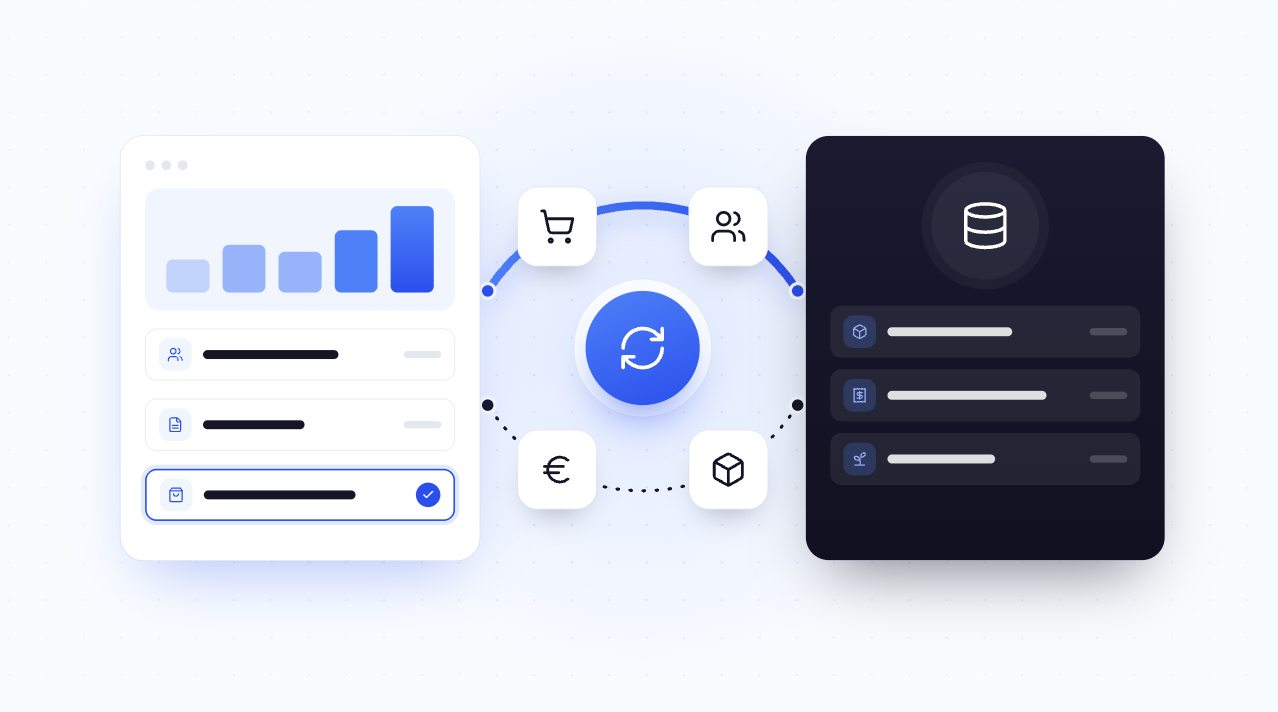
We designed DJUST as a commercial layer that connects to your existing ERP via API. Prices, inventory, catalogs, and orders remain synchronized in real-time, without heavy development. The ERP retains its role as the source of truth; DJUST exposes this data as a complete B2B purchasing experience.
In practice, this eliminates three major operational bottlenecks. Manual order entry becomes a thing of the past: with DJUST Sales, B2B orders received via email, spreadsheets, or portals are ingested into your ERP automatically. Negotiated, customer-specific pricing syncs in real time, accessible to both sales reps and online buyers. Available-to-promise inventory updates across every channel without delay. Feature-wise, DJUST extends your ERP where it lacks native capabilities: generating custom quotes while automatically applying customer-specific discounts and terms. The platform also enables online B2B payments through DJUST Pay and provides an AI-driven conversational assistant via DJUST AI—a dedicated B2B AI agent connected directly to your business data. Customers can simply state their needs in natural language and instantly view matching products, accurate pricing, and live availability.
DJUST's API-first approach contrasts with the logic of traditional, heavy ERPs. Instead of replacing your infrastructure, we integrate with it. Deployment costs and timelines decrease, your teams keep their familiar tools, and value is built in successive layers.
Sources
[1] France Num (Ministère de l'Économie), https://www.francenum.gouv.fr/guides-et-conseils/pilotage-de-lentreprise/logiciels-de-gestion-de-lentreprise/pourquoi-et-comment, 13 novembre 2026
[2] KPMG France, https://kpmg.com/fr/fr/articles/tech-risk/securite-erp-eti-pme.html, 20 avril 2023
FAQ
Does an ERP replace sales management software?
Yes, if its sales and inventory modules are enabled: an ERP encompasses sales management and goes further by integrating accounting, purchasing, production, and HR into a single database. Sales management software covers only a subset of these functions.

What is the difference between an ERP and a PGI?
There is no fundamental difference: PGI (Progiciel de Gestion Intégré) is the French term for ERP (Enterprise Resource Planning). Both terms refer to an integrated business management system based on a common database [1].
Can an ERP manage B2B e-commerce?
An ERP stores data (catalogs, pricing, inventory, customer accounts) but does not natively manage the online shopping experience, such as the checkout process, customer-facing product catalogs, shopping carts, or online payments. For B2B e-commerce, an ERP must connect to a specialized B2B e-commerce platform.
How long does it take to deploy an ERP?
This ranges from a few weeks for a pre-configured cloud solution with a limited scope to 12–24 months for a complex, multi-site ERP involving data migration and business-specific configuration[2]. The number of modules, data volume, and B2B requirements are the primary factors influencing the timeline.
Do you need to replace your ERP to digitize your B2B business?
No. The modern approach is to connect your existing ERP to a specialized B2B platform via API. This commerce layer manages the buying experience, order automation, and data synchronization without requiring you to replace your current infrastructure.