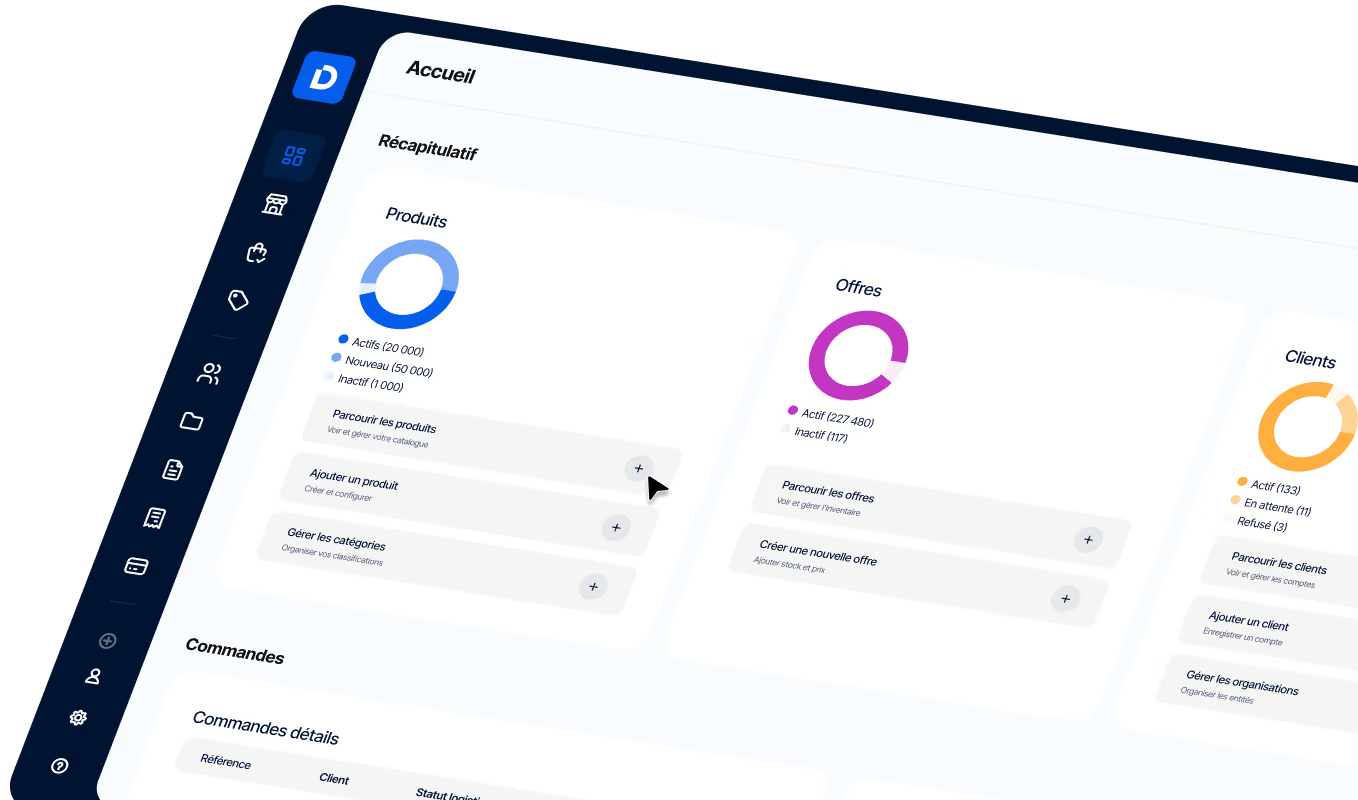
B2B Website Software: Boost Your Online Sales
Choose the right B2B site software by comparing SaaS, open source, and headless options, and identifying the key features for your business
Article summary
- A B2B website software is any solution that lets you create and manage an online commerce site dedicated to transactions between businesses, including catalogs, orders, quotes, payments, and customer support.
- There are 4 main categories: specialized B2B SaaS platforms, adapted e-commerce CMSs (Magento, Shopify Plus), open-source solutions, and headless/composable platforms.
- The key selection criteria: customer-specific pricing management, multi-stakeholder order workflows, ERP/CRM integration, headless architecture, and the ability to scale with volume.
- The main pitfall: choosing software built for B2C and trying to adapt it to B2B. B2B-specific needs — negotiated pricing, recurring orders, approval workflows, and payment terms — require a tool designed for those use cases.

B2B website software is a software solution that lets you create, manage, and scale an online commerce site for business-to-business transactions. Unlike a standard B2C e-commerce site, a B2B site has to handle customer-specific catalogs, negotiated pricing, bulk orders, multi-level approval workflows, payment terms (30, 60, 90 days), and integrations with buyers’ ERP and CRM systems.
Choosing the right software is a strategic decision: it shapes your ability to digitize sales, retain business accounts, and scale commercial operations. A poor choice leads to a site that customers barely use, manual processes that keep running in parallel, and maintenance costs that spiral.
This article reviews the types of solutions available, the features you should require, and the method for selecting and deploying B2B website software that fits your business. For a broader view of the market, also see our guide on which B2B e-commerce platform to choose.
What is B2B website software?
B2B website software brings together all the technology building blocks needed to run a digital sales channel for business buyers. It covers product catalog management, with all the B2B specifics: multiple SKUs, packaging options, tiered pricing; online order capture; quote management; delivery tracking; and payments. Unlike a simple CRM or ERP, it provides a buying interface that business customers can access, either through a web portal or through APIs that power other channels (marketplace, mobile app, punchout e-procurement).
The most common mistake is to use a B2C e-commerce platform (WooCommerce, PrestaShop, standard Shopify) and try to configure it for B2B. These tools don’t natively handle customer-specific pricing, recurring orders, purchase orders, or approval workflows.
The result: expensive custom development, complex maintenance, and clunky B2B features that frustrate business buyers.
Key differences between B2C and B2B sites
A high-performing B2B website software solution should handle these requirements natively, without custom development. That’s why companies selling in B2B turn to dedicated B2B e-commerce platforms instead of adapting a general-purpose tool.
4 types of software for building a B2B site
The B2B website software market falls into 4 main categories. Each one fits a different business profile and level of digital maturity. The right choice depends on order volume, catalog complexity, budget, and internal technical skills.
Specialized B2B SaaS platforms
These are fully hosted cloud solutions, maintained by the vendor and built from the ground up for B2B commerce. They natively include customer-specific pricing, order workflows, custom catalogs, and ERP integrations. Their main advantage: fast deployment, from a few weeks to a few months, and predictable maintenance costs through a monthly subscription. A concrete example: an industrial distributor that moves from email-based order taking to an online B2B portal in 3 months, with customer-segment-specific catalogs and automated recurring orders.
E-commerce CMS platforms adapted for B2B
Platforms like Magento/Adobe Commerce, Shopify Plus, or BigCommerce offer B2B modules on top of their B2C foundation. They’re a good fit for companies that sell in both B2C and B2B and want to manage both channels in one tool. The watchout: B2B features are often add-ons, not the core product. B2B order management (quotes, approvals, payment terms) may require paid extensions or custom development, which increases total cost of ownership.
The other two categories, open source solutions (OroCommerce, nopCommerce) and headless / composable architectures, are aimed at more technically mature companies. Open source offers maximum flexibility but requires in-house development skills. Headless separates the front end from the back end, making it possible to create tailored experiences for each channel, but it requires a higher upfront investment.
Comparison of the 4 types of B2B website software
8 must-have features in B2B website software
Every solution on the market comes with a long feature list. To separate the tools, 8 features are truly decisive in a B2B context. If a solution doesn’t cover at least 6 out of 8, it probably isn’t suited to business-to-business commerce.
Scorecard: evaluating B2B features by software
The most underestimated feature is recurring order management. In many B2B sectors (industrial supplies, materials, consumables), customers place the same orders every week or every month. B2B website software that automates replenishment keeps these accounts loyal and reduces manual work for customer service teams. This capability naturally pairs with a centralized order management system that orchestrates the rest of the flow (picking, shipping, invoicing).
Automated quote generation is another key lever: a business buyer who gets a quote in 30 seconds instead of 48 hours won’t go looking elsewhere.
6 criteria for choosing the right B2B website software
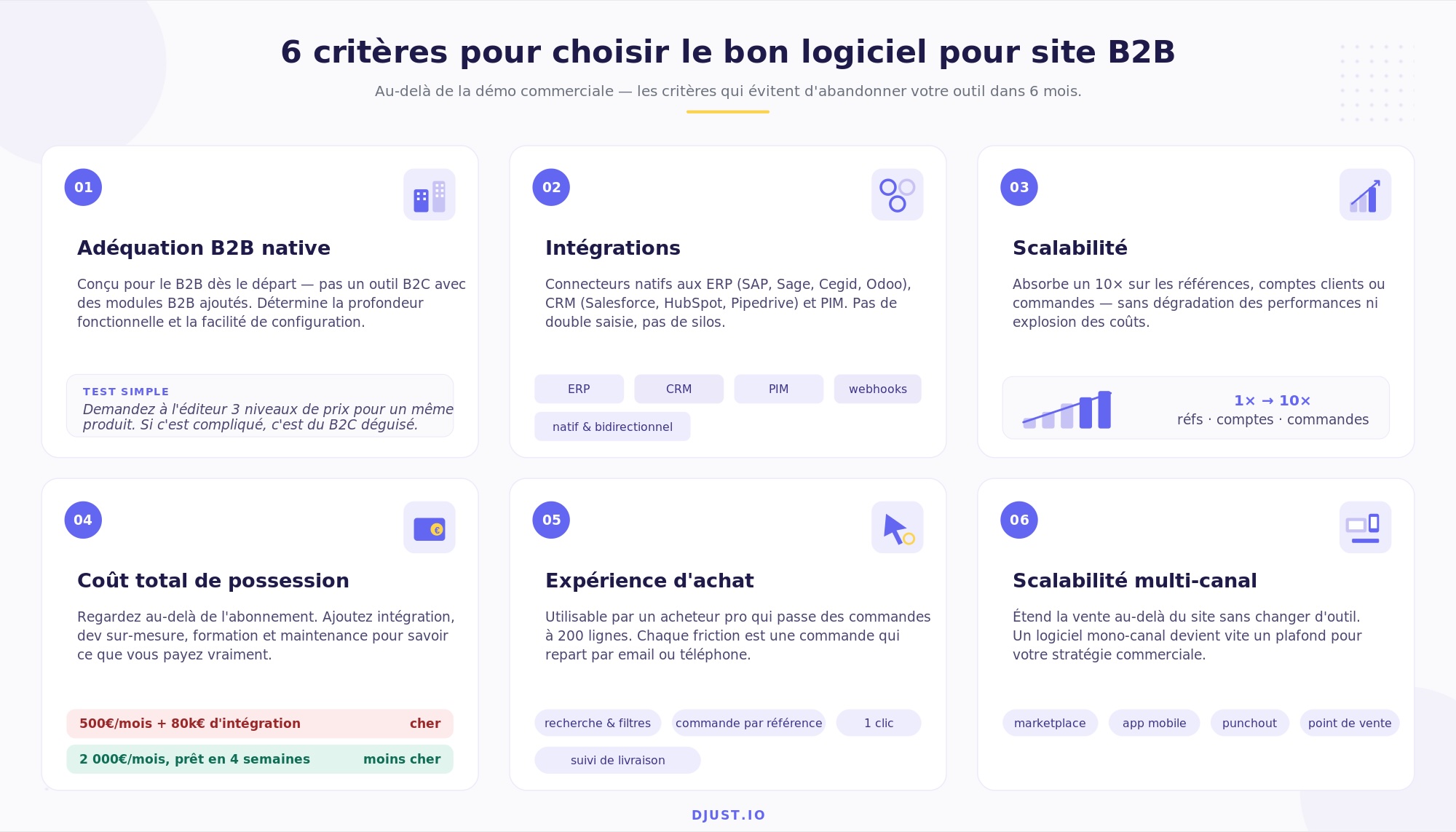
Sales demos are appealing, but choosing B2B website software should be based on objective criteria, assessed methodically. Here are the 6 criteria that separate a fit-for-purpose tool from one that will be abandoned after 6 months.
- Native B2B fit. Was the software built for B2B from day one, or is it a B2C tool with added B2B modules? The answer determines functional depth and how easy it is to configure. Simple test: ask the vendor to show how it handles 3 pricing levels for the same product (public price, customer A price, customer B price with volume discount). If it’s complicated, it’s a disguised B2C tool.
- Integrations. Does the software connect natively to your ERP (SAP, Sage, Cegid, Odoo), CRM (Salesforce, HubSpot, Pipedrive), and PIM? Without integration, teams re-enter data and the site becomes a silo disconnected from the rest of the IT environment.
- Scalability. Can the software handle a 10x increase in SKUs, customer accounts, or orders without performance degradation or exponential cost increases? Ask for customer references that match your target volume.
- Total cost of ownership (TCO).
- Don’t compare the monthly subscription alone. Add up: subscription + initial integration + custom development + training + annual maintenance. A €500/month tool with €80,000 of integration costs more than a €2,000/month tool that can go live in 4 weeks.
- Buyer experience. Is the interface usable for a professional who orders 200 line items per order? Search, filters, order by SKU, one-click reorder, delivery tracking: every bit of friction lost is an order that goes back to email or the phone.
- Omnichannel extensibility. Can the software extend sales beyond the website: marketplace, mobile app, punchout e-procurement, physical locations? A single-channel tool forces you to switch platforms when your sales strategy evolves.
For companies that want to extend their reach beyond the e-commerce site, a B2B marketplace brings third-party sellers and buyers together on a shared platform while keeping control of the catalog and commercial terms.
How to deploy a B2B site: a 4-step method
Deploying a B2B site isn’t an IT project: it’s a commercial project that involves sales, marketing, logistics, and IT teams. Failures rarely come from the technology itself, but from an unclear scope or a lack of support helping customers adopt the new channel.
Template: 4-phase B2B site deployment plan
Phase 1: define the scope. The classic mistake is trying to digitize 100% of the catalog at launch. The right approach: identify the 20% of SKUs that generate 80% of revenue and start there. Select 10 willing customer accounts for the pilot, ideally customers who already order frequently and want self-service. This phase also includes identifying the integrations you need: ERP for stock and pricing sync, CRM for a 360-degree customer view, and possibly PIM for enriching product pages.
Phase 2: configure and connect. Catalog setup (SKUs, descriptions, segment pricing, delivery terms) takes as much time as technical configuration. Don’t underestimate product data quality: a B2B catalog with incomplete product pages or inconsistent pricing will turn buyers away on their first visit. For ERP integration, prioritize stock and pricing sync. The digital B2B sales process must accurately reflect the negotiated commercial terms agreed offline.
Phase 3: test with real customers. The pilot runs for 4 to 6 weeks with the 10 selected accounts. KPIs to track: adoption rate (how many orders go through the site vs. email/phone), cart conversion rate, average time from first visit to first order, and number of support tickets. If adoption is below 50% after 4 weeks, that’s a strong sign the buyer experience isn’t good enough. The most common feedback concerns product search (too slow, no SKU search), pricing (mismatches with negotiated terms), and the ordering journey (too many steps).
Phase 4: roll out and iterate. Once the pilot is validated, gradually migrate all customer accounts to the B2B site. Train customer service teams to support customers through the transition: a sales rep who shows a customer how to place an order in 2 minutes instead of 20 minutes by email creates powerful momentum. Track B2B e-commerce trends to adjust your roadmap and stay close to customer feedback so you can keep iterating.
For companies that want to go deeper into digitizing their full sales process, the article on B2B e-commerce trends details the major shifts shaping the market in 2026.
The success of a B2B site also depends on the quality of the B2B eCommerce experience you offer buyers. A portal that delivers a buying experience as smooth as B2C, but with the functional depth of B2B (pricing, bulk orders, delivery tracking), becomes a competitive advantage that rivals will struggle to replicate.
For suppliers receiving high-volume orders, reading the complete guide to B2B order management software helps explain how to orchestrate the rest of the flow after order capture on the site.
Finally, companies looking to position themselves on the right technology path should compare approaches before committing: the question of which B2B e-commerce platform to choose deserves a structured benchmark, backed by the scorecard above and feedback from existing customers.



.png)
.jpeg)